


The best vertical laptop stand does one thing well: it stands your closed laptop on its edge so it stops eating the middle of your desk. If you run your laptop in clamshell mode — lid shut, plugged into an external monitor, keyboard and mouse — that rectangle of desk is dead space, and a $20–$45 stand gives it back.
The category looks simple, but the stands differ in exactly the places that decide whether one fits your laptop: how wide the slot opens, how you adjust it, and how many devices it holds. We compared five popular vertical laptop stands on those three things using each manufacturer’s published specifications and current Amazon listings — and none of them wins on all three.
Here’s the short version: the best vertical laptop stand for most people is the OMOTON, because it has the widest slot of any single-slot stand here at the second-lowest price. The rest of this guide explains when one of the other four is the better choice.
Quick picks
- Best overall: OMOTON Vertical Laptop Stand — $23.99
- Best budget: JARLINK Vertical Laptop Stand — $19.99
- Best for laptop + tablet + phone: UGREEN 3-Slot Vertical Laptop Stand — $39.99
- Best for MacBook owners: Rain Design mTower — $43.90
- Best-looking: UPERGO Walnut Vertical Laptop Stand — $31.50
Best vertical laptop stand options compared
| Stand | Price* | Slot range | Slots | Material | Amazon rating | Our score |
|---|---|---|---|---|---|---|
| OMOTON | $23.99 | 0.55–2.71 in | 1 | CNC-machined anodised aluminium | 4.8 (9,202) | 8.7/10 |
| JARLINK | $19.99 | 0.55–2.55 in | 1 | Anodised aluminium | 4.8 (5,539) | 8.5/10 |
| UGREEN 3-Slot | $39.99 | Adjustable (base screws) | 3 | Aluminium alloy | 4.7 (11,899) | 8.4/10 |
| Rain Design mTower | $43.90 | Fixed (no adjustment) | 1 | Single-piece aluminium | 4.7 (750) | 8.0/10 |
| UPERGO | $31.50 | 0.7–1.5 in | 1 | Black walnut + aluminium | 4.8 (296) | 7.9/10 |
*Price at the time of writing. Amazon prices move; the linked listing is always the current figure.
1. OMOTON Vertical Laptop Stand — best overall
Slot range: 0.55 in (14 mm) to 2.71 in · Build: sandblasted, brushed, CNC-machined anodised aluminium · Slots: one · Price at time of writing: $23.99 · Amazon rating: 4.8 from 9,202 ratings
The OMOTON is the stand we’d tell most people to buy, and the reason is one number: its slot opens to 2.71 inches, the widest of any single-slot stand in this group. That extra width is what lets you dock a thick laptop — or a thin one still inside its padded sleeve — without taking anything off first. Most people never think to check that until the stand arrives.
OMOTON describes the process rather than just the metal: sandblasted, brushed, then CNC-machined. In practice that means the slot edges are cut cleanly instead of folded, so there’s no sharp lip where the lid slides in, and both arms sit parallel. Non-slip silicone mats line the slot, and the base is noticeably wider than the slot it supports, which keeps a docked laptop’s centre of gravity well inside the footprint when you knock the desk.
It has also been bought and rated more than 9,000 times at 4.8 stars. For a purely mechanical object with no battery and no firmware, that long tail of owner feedback is the best durability signal there is.
Best for: almost everyone with one laptop, and anyone who docks a laptop in a sleeve or owns a thicker machine.
Skip if: you need to park a tablet and phone as well — it holds exactly one device. The black anodising also shows fingerprints more than silver does, and OMOTON doesn’t publish a weight capacity.
Read our full OMOTON Vertical Laptop Stand review.
Check the current price of the OMOTON Vertical Laptop Stand on Amazon →
2. JARLINK Vertical Laptop Stand — best budget
Slot range: 0.55 in to 2.55 in · Build: scratch-resistant anodised aluminium · Slots: one · Adjustment: Allen key (included) · Price at time of writing: $19.99 · Amazon rating: 4.8 from 5,539 ratings
The JARLINK is the cheapest way into an aluminium stand. At $19.99 it undercuts almost every anodised competitor while using the same basic construction — cheaper stands in this category are usually plastic, and plastic flexes under a four-pound laptop until the slot starts to splay.
Two inches of adjustment (0.55 to 2.55 in) covers everything from a MacBook Air up to a chunky machine, and a non-toxic silicone pad lines the slot so the lid isn’t sliding against bare metal. The one thing that defines living with it is the adjustment: width is set with a supplied Allen key rather than a thumbscrew. That makes it firmer once set, because there’s no knurled screw to vibrate loose — and genuinely annoying if you swap between a slim ultrabook and a thick workstation, because you need the key in your hand every time.
Best for: one laptop, one desk, set the width once and forget it — at the lowest price here.
Skip if: you share the desk or rotate between laptops of very different thickness. Keep the Allen key somewhere you’ll find it; it’s the only way to change the width later.
Read our full JARLINK Vertical Laptop Stand review.
Check the current price of the JARLINK Vertical Laptop Stand on Amazon →
3. UGREEN 3-Slot Vertical Laptop Stand — best for laptop + tablet + phone
Slots: three, graduated for a laptop, a tablet and a phone · Build: aluminium alloy · Adjustment: loosen the base screws to set gap and tension · Price at time of writing: $39.99 · Amazon rating: 4.7 from 11,899 ratings
Every other stand here solves one problem. The UGREEN solves the one most desks actually have: a laptop, a tablet and a phone all lying flat, all collecting crumbs. Three graduated slots hold all of them upright in one aluminium block, so the arithmetic is simple — it replaces three separate stands and occupies one patch of desk.
The adjustment sets both the gap and the tension, and tension is the underrated part: a slot that is merely the right width can still let a tablet rock and clatter every time you lift the laptop out. Silicone pads line every slot. And with nearly 12,000 ratings, it has the largest body of owner feedback of anything in this roundup.
Best for: anyone who genuinely keeps three devices on the desk, or who would otherwise buy two or three separate stands.
Skip if: you own one laptop — you’d be paying $16 more than the OMOTON for two slots you’ll never fill. The adjustment is set for the whole block rather than slot by slot, so very mismatched devices need a compromise setting.
Read our full UGREEN 3-Slot Vertical Laptop Stand review.
Check the current price of the UGREEN 3-Slot Vertical Laptop Stand on Amazon →
4. Rain Design mTower — best for macbook owners
Build: single-piece aluminium, sand-blasted and anodised to match Apple notebooks · Adjustment: none — fixed slot · Stated fit: 2020 MacBook Air and MacBook Pro 13/16 in, 2019 MacBook Air and MacBook Pro 13/15/16 in, and laptops of similar height · Price at time of writing: $43.90 · Amazon rating: 4.7 from 750 ratings
The mTower is the premium end of the category and the only stand here with no adjustment at all. That sounds like a flaw until you understand what it buys: it’s cut from one piece of aluminium, so there are no screws to loosen, no arms to splay and nothing to re-tighten in two years. Every adjustable stand eventually fails the same way — fasteners working loose until the slot no longer holds a steady width. This one can’t.
The Space Gray finish is matched to Apple notebooks, and on a desk with a MacBook it disappears in a way a generic bracket doesn’t. Rain Design also states that standing the notebook up increases airflow around it and keeps it cooler.
Best for: a recent MacBook you intend to keep, on a desk where looks matter, owned by someone who never wants to adjust anything again.
Skip if: your laptop isn’t on Rain Design’s stated list, you dock inside a sleeve, or you might switch to a thicker machine. At $43.90 it’s also the most expensive stand here — more than twice the JARLINK for a stand that does less.
Read our full Rain Design mTower review.
Check the current price of the Rain Design mTower on Amazon →
5. UPERGO Walnut Vertical Laptop Stand — best-looking
Slot range: 0.7 in to 1.5 in · Build: solid black walnut panel on an aluminium base · Protection: scratch-resistant pads on the wood, silicone cushion under the base · Warranty: 18 months, 30-day returns · Price at time of writing: $31.50 · Amazon rating: 4.8 from 296 ratings
The UPERGO is the one you buy when the desk is part of the room. It’s the only stand here that isn’t just metal: a solid black walnut panel on a recyclable aluminium base, handmade from leftover wood — which is why UPERGO says openly that the grain on yours won’t match the photo. On a desk people can see, it reads as furniture rather than an accessory.
The catch is the slot, and it’s a real one. 0.7 to 1.5 inches is the narrowest range in this roundup — fine for a MacBook or a slim ultrabook, too narrow for a thick gaming laptop, a mobile workstation or anything kept in a padded sleeve. The 18-month warranty is longer than most in the category, and the 30-day return window matters more than usual here, because fit is the thing most likely to disappoint.
Best for: MacBook and slim-laptop owners who want warm materials instead of black or silver metal.
Skip if: your laptop is thicker than 1.5 in, or you dock it in a sleeve. It also has the thinnest evidence base here — 296 ratings against thousands for the others.
Read our full UPERGO Walnut Vertical Laptop Stand review.
Check the current price of the UPERGO Walnut Vertical Laptop Stand on Amazon →
The trade-off none of them escapes
Put the five side by side and a pattern falls out. The widest slot isn’t the best built. The best built doesn’t adjust. The best looking has the narrowest range. The OMOTON takes the thickest laptops but is still three pieces of metal held by screws; the Rain Design mTower is the most rigid object here precisely because it can’t adjust; and the UPERGO’s walnut panel comes with the tightest slot of the group. That’s why the right stand depends far more on your laptop than on which one is “best”.
A vertical stand clears the desktop; the next step is clearing the clutter around it. Our under desk drawer roundup compares six drawers that add hidden storage without taking any desk surface.
How to choose the best vertical laptop stand
1. Measure your laptop — in its case, if you keep one
This is the step people skip. Measure the thickness at the thickest point, and if you ever dock it inside a sleeve or shell case, measure that instead. Then compare against the slot range: 0.55–2.71 in (OMOTON), 0.55–2.55 in (JARLINK), 0.7–1.5 in (UPERGO). The Rain Design mTower is sized for specific MacBook models rather than a range.
2. Decide how often you’ll change the width
Allen-key adjustment (JARLINK) is firm but deliberate — a set-once design. Screw-in-base adjustment (OMOTON, UGREEN) is easier to change. A fixed slot (Rain Design) never needs adjusting but never adapts either. If more than one person uses the desk, or you swap laptops, avoid the fixed and Allen-key designs.
3. Count your devices
One laptop: a single-slot stand. Laptop plus tablet and phone: the UGREEN 3-slot replaces three stands for less than the price of three. Don’t pay for slots you won’t fill.
4. Check your cable setup before you buy
A vertical stand only makes sense if the laptop lives closed, driving an external monitor. Make sure your ports face a direction your cables can reach once the laptop is standing on its edge — especially the charging port. None of these five stands includes cable management.
5. Mind the vents
Standing a laptop up lifts it off the desk, which helps heat escape. Just check where your laptop exhausts air and dock it so those vents aren’t buried in the slot.
6. Material is mostly about looks
All five hold a laptop securely. Anodised aluminium (JARLINK, OMOTON, UGREEN) resists scuffs; single-piece aluminium (Rain Design) is the most rigid; walnut (UPERGO) is the only one that looks like furniture — but solid wood can move with humidity, so keep it away from radiators and direct sun.
Which is the best vertical laptop stand for you?
- Most people, one laptop: OMOTON — widest slot, clean machining, $23.99.
- Lowest price: JARLINK — aluminium at $19.99, if you’ll set the width once.
- Laptop + tablet + phone: UGREEN 3-slot.
- A MacBook you’re keeping: Rain Design mTower — nothing to ever loosen.
- Slim laptop, desk on show: UPERGO walnut — measure first.
- Your laptop stays open all day: skip vertical stands entirely and get a riser such as the Nulaxy C1.
Vertical laptop stand FAQs
Are vertical laptop stands worth it?
If your laptop spends most of the day closed and connected to an external monitor, yes. Standing it on its edge frees the whole rectangle of desk it used to occupy, for $20–$45. If you use the laptop’s own screen and keyboard most of the day, a vertical stand is the wrong product — you want a riser that lifts the open screen to eye level instead.
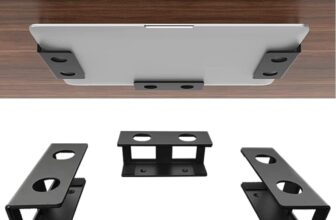
If you would rather clear the laptop off the desktop altogether, an under desk mount holds it closed beneath the desk. See our best under desk laptop mount picks, including no-drill and sliding options.
Are vertical laptop stands bad for your laptop?
Not in themselves. Every stand in this roundup lines its slot with silicone or protective pads, and the realistic risks are small and avoidable: grit trapped in the pad scratching the lid, over-tightening an adjustable slot, or forcing a laptop into a slot that is too narrow. Keep the pads clean and set the gap slightly wider than the machine before tightening.
Do vertical laptop stands help cooling?
Standing a closed laptop on its edge lifts it off the desk surface, where heat otherwise gets trapped underneath — Rain Design states the mTower increases airflow for exactly this reason. Check where your own laptop vents and dock it so those vents aren’t pressed into the slot.
Will a vertical stand fit a gaming laptop?
Only if the slot opens wide enough. Of the stands here, the OMOTON (up to 2.71 in) and JARLINK (up to 2.55 in) take the thickest machines. The UPERGO stops at 1.5 in and the Rain Design mTower doesn’t adjust at all, so neither suits a thick gaming laptop.
How do you turn on a laptop in a vertical stand?
Once a laptop is set up in clamshell mode with an external display, keyboard and power, most can be woken from the external keyboard or mouse. A cold start still needs the power button, which usually sits under the closed lid — so power the laptop on before you dock it.
Can one stand hold two or three laptops?
Not the single-slot stands. The UGREEN 3-slot holds a laptop, a tablet and a phone; for several full-size laptops you want a dedicated multi-slot model.
Vertical or horizontal laptop stand — which do I need?
It depends on whether the laptop is open or closed. A vertical stand stores a closed laptop that drives an external monitor. A horizontal riser, like the Nulaxy C1, lifts an open laptop so its screen sits nearer eye level. They solve different problems.
If you need the open-laptop kind, our best laptop riser for desk comparison covers seven horizontal risers, from fixed aluminum stands to a sit-to-stand telescopic model.
Final verdict
If you want one answer, the OMOTON is the best vertical laptop stand for most desks: the widest single slot here, a clean CNC-machined finish, a stable wide base and over 9,000 ratings at 4.8 stars, for $23.99. Choose the JARLINK to save a few dollars, the UGREEN 3-slot if you have more than one device, the Rain Design mTower if you own a MacBook and never want to adjust anything, and the UPERGO if the desk is part of the room and your laptop is slim enough. Whatever you pick, measure your laptop first — the slot is the only thing that can make any of these the wrong stand.
How we compared: specifications, materials, slot ranges, warranties and ratings are taken from each manufacturer’s Amazon listing at the time of writing. We did not invent any figure that isn’t published — where a manufacturer doesn’t state something, such as weight capacity, we say so. SoftPickr earns a commission on qualifying purchases made through our links, at no extra cost to you.




[…] building out a whole workspace, this guide sits alongside our budget ergonomic desk setup hub, the best vertical laptop stand roundup and our balance board for standing desk […]