The best under desk laptop mount for most people is the IFCASE aluminum holder: it takes laptops up to 1.5 inches thick, lines every contact point with silicone, fixes with stainless steel screws and had the highest owner rating of the seven picks below when we checked. If you cannot drill, need room for a thick docking station or want the laptop to slide out, one of the other six fits better.
A laptop that lives closed on your desk all day, driving a monitor, takes up a surprising amount of space. Moving it underneath clears the surface for a keyboard, notes and a mug, and it keeps a docked machine out of reach of spills. This guide compares seven products on the numbers that decide whether a mount works for you: maximum device thickness, published weight rating, how it attaches, how much desk it needs, and how easy it is to get the laptop back out.
How we compared: this is a research-based comparison. We did not physically install these mounts. Every specification comes from the live Amazon listing, checked on 2 October 2026, and the verdicts weigh those figures and the owner ratings against each other. Where a maker does not publish a number, we say so instead of guessing.
Quick Picks
- Best overall: IFCASE under desk mount (8.6/10) — aluminum, silicone pads, up to 1.5 in, 4.7 stars from 619 ratings
- Best adjustable bracket set: VIVO MOUNT-UDLS1 (8.5/10) — left, right and back brackets you space yourself, 11 lb
- Best for docks and thick devices: Teridokor aluminum mount (8.4/10) — 2.7 in of space, 2-year warranty
- Best sliding tray: JINGCHENGMEI sliding shelf (8.3/10) — ball-bearing pull-out, vented steel
- Best no-drill option: BYMECOST no-drill shelf (8.2/10) — clamps on, 44 lb
- Best swing-out tray: VIVO MOUNT-LAP1CB (8.0/10) — use the laptop below desk height, then rotate it away
- Best budget: BYMECOST basic mount (7.9/10) — 22 lb rating at the lowest price here
Amazon’s Prime Big Deal Days runs 6–7 October; the prices below were checked on 2 October and will move.
Under Desk Laptop Mount Comparison Table
| Pick | Type | Max device thickness | Weight rating | Install | Price (2 Oct) | Amazon rating |
|---|---|---|---|---|---|---|
| IFCASE | 3 brackets | 1.5 in (38 mm) | Not published | Screws | $15.99 | 4.7 (619) |
| VIVO MOUNT-UDLS1 | Side + back brackets | Not published | 11 lb | 5 screws | $14.99 | 4.6 (211) |
| Teridokor | 3 brackets | 2.7 in (70 mm) | Not published | Screws | $12.99 | 4.6 (250) |
| JINGCHENGMEI | Sliding shelf | 16.25 x 11.9 in space | Not published | Screws | $45.99 | 4.5 (100) |
| BYMECOST no-drill | Clamp-on shelf | 16.7 x 10.1 in tray | 44 lb | Clamps | $29.99 | 4.5 (130) |
| VIVO MOUNT-LAP1CB | Rotating tray | Up to 17 in laptops | 11 lb | C-clamp | $49.99 | 4.3 (165) |
| BYMECOST basic | 3 brackets | 1.37 in | 22 lb | Screws | $9.99 | 4.3 (459) |
1. IFCASE — Best Under Desk Laptop Mount Overall
Spec line: hard aluminum brackets · stainless steel 5/8 in screws · devices up to 38 mm / 1.5 in · silicone anti-scratch pads · desk at least 3/4 in thick · weight rating not published · $15.99, 4.7 stars from 619 ratings.
The IFCASE holder is the simplest version of this product done well. Three aluminum brackets screw to the underside of the desk, each one lined with non-slip silicone so the laptop does not pick up scratches as it slides in or creep out when the desk is bumped. IFCASE lists laptops, the Mac mini, MacBooks, cable boxes, modems, smart TV boxes and the PlayStation 4 Slim as fitting, as long as the device is under 1.5 inches thick.
Installation is the part people worry about, and IFCASE has made it easier than most. An adhesive sticker holds the brackets in place while the laptop sits inside them, so the spacing is right before you drill, and large holes in each bracket let a drill bit reach the screw head. The desk needs to be at least 3/4 inch thick.
What tips it to first place is the owner feedback: 4.7 out of 5 from 619 ratings is the best score in this group. The gap is the missing weight rating. For a typical work laptop that is not a concern, but if you plan to hang a heavy gaming laptop, the BYMECOST mounts publish 22 lb and 44 lb ratings.
Best for: a slim laptop or Mac mini you want hidden under a wood or particleboard desk. Skip if: you cannot drill, or your device is thicker than 1.5 inches.
Read our IFCASE review · Check the price on Amazon
2. VIVO MOUNT-UDLS1 — Best Adjustable Bracket Set
Spec line: alloy steel left, right and back brackets · anti-skid padding · 11 lb rating · 5 screws · desk at least 0.75 in thick · set weighs 1.1 lb · $14.99, 4.6 stars from 211 ratings.
VIVO’s set is built differently from the three-identical-brackets design. You get a left bracket, a right bracket and a back bracket. The side brackets go wherever your device needs them, and the back bracket acts as a stop so the laptop or dock cannot be pushed too far in. There is no front bracket, so the front edge of the device stays clear and easy to grab.
VIVO pitches it as an under-desk docking solution, and that open front is the reason: you can reach a dock’s front ports or slide a laptop out without anything in the way. It also publishes an 11 lb weight rating, which covers most laptops and docks. The catch is that VIVO does not list a maximum device thickness, so if you are mounting something chunky, compare the bracket depth in the photos with your device first.
Best for: a laptop or dock with an unusual width, from an established desk-mount brand. Skip if: you need a confirmed thickness figure or cannot drill.
Read our VIVO MOUNT-UDLS1 review · Check the price on Amazon
3. Teridokor — Best for Docking Stations and Thick Devices
Spec line: 3 polished aluminum brackets · 2.7 in / 70 mm of usable space · 8 screws (2 spare) · screw holes outside the device area · 2-year warranty · weight rating not published · $12.99, 4.6 stars from 250 ratings.
Most laptop holders stop at about 1.5 inches. That is fine for a closed ultrabook, but not for a docking station, a Dell OptiPlex Micro or a Mac mini sitting on top of a dock. Teridokor gives you 2.7 inches, and its listing names the Dell WD19 dock, the Dell micro OptiPlex and the Mac mini M4 dock. If the thing you want under the desk is thick, this is the bracket mount to look at.
Two design details help. The screw holes sit outside the device area, so no screw head ends up above your laptop lid, and the brackets are polished inside so there is no grit to scratch the device. Teridokor also says the mount does not cover any ports, so side connections stay reachable. It is screw-only; Teridokor argues that is safer than tape for expensive devices, and we agree.
The listing does not mention padding, a weight capacity or a minimum desk thickness. Measure your desktop and pick screws that will not break through the top.
Best for: docks, mini PCs and thicker laptops. Skip if: you want padded brackets for a slim laptop (pick the IFCASE).
Read our Teridokor review · Check the price on Amazon
4. JINGCHENGMEI Sliding Shelf — Best Sliding Tray
Spec line: vented steel shelf · ball-bearing slides · pulls out 11.2 in · locking stops on both sides · 16.25 x 11.9 in usable space · 19.3 in wide overall with brackets, 2.36 in tall · weight rating not published · $45.99, 4.5 stars from 100 ratings.
A fixed bracket mount is fine if the laptop stays under the desk all week. If you take it out every evening, reaching under the desktop to slide it out of brackets gets old quickly. The JINGCHENGMEI shelf pulls out 11.2 inches on ball-bearing tracks, so you can lift the laptop out from above. Locking stops on both sides hold the tray open while you do.
The shelf is steel with air vents cut into the plate, and the usable space is 16.25 by 11.9 inches. That takes most 15 and 16 inch laptops, and the listing also names the Mac mini, Dell OptiPlex, PlayStation 4 Slim, cable boxes and modems. Because the device lies on a solid plate instead of narrow brackets, a smaller laptop leaves room beside it for a charger or hub.
The costs: it is about three times the price of a bracket set, the overall width of 19.3 inches needs clear space between desk legs or frames, and no weight rating is published.
Best for: a laptop you take out daily. Skip if: your under-desk space is narrow or you only want to hide a laptop that never moves.
Read our JINGCHENGMEI review · Check the price on Amazon
5. BYMECOST No-Drill Shelf — Best Without Drilling
Spec line: clamp-on, powder-coated metal shelf · 16.7 x 10.1 in inside · 17 x 10.1 x 1.96 in overall · 44 lb rating · three cable openings · hollow vented base · needs 20 in of clear width and no crossbars · $29.99, 4.5 stars from 130 ratings.
Every bracket mount above needs holes in your desk. That rules them out on rented furniture, glass or metal tops, and standing desks you would rather not drill. BYMECOST’s no-drill shelf hangs from the desktop on clamps, so it goes on and comes off without a single hole. It also carries the highest published rating in this comparison: 44 lb.
It is really a small under-desk shelf, which makes it more flexible than a fitted holder. BYMECOST lists a MacBook, iPad, Mac mini, game controllers, amplifiers, a surge protector, hard drives and USB hubs as things it can hold, and three openings in the back wall route cables. If you want to charge a laptop on it, the laptop plus its plug must be under 16.7 inches wide.
Check your desk before ordering. BYMECOST says it is not suitable for tables with crossbars and needs an installation area at least 20 inches wide. It does not publish a maximum clamp thickness.
Best for: renters and standing desks. Skip if: your desk has a front crossbar or you want a holder that grips the laptop.
Read our BYMECOST no-drill review · Check the price on Amazon
6. VIVO MOUNT-LAP1CB — Best Swing-Out Laptop Tray
Spec line: 12.3 x 8.8 in tray on a single C-clamp · laptops up to 17 in (depth no more than 11.5 in) · 11 lb · rotates 360 degrees, does not lock · needs 31 in of swing clearance · desks up to 2 in thick, no lipped or beveled edges · 3-year warranty · $49.99, 4.3 stars from 165 ratings.
This one is for a different job. The other picks store a closed laptop; the VIVO MOUNT-LAP1CB holds an open laptop below the desktop so you can type on it at a lower height, then swing it under the desk when you are done. The tray surface sits 3.5 to 4.5 inches below the top of the desk, which VIVO says gives a more ergonomic typing angle.
The single clamp means no drilling and a full 360-degree pivot. VIVO is upfront about the two costs: the tray needs 31 inches of clearance to swing all the way round, and it does not lock in position, by design. Knock it and it moves. It also will not fit lipped or beveled desk edges.
Best for: people who use the laptop itself every day and want it out of the way between sessions. Skip if: you only want hidden storage, or you are short on space around the desk.
Read our VIVO MOUNT-LAP1CB review · Check the price on Amazon
7. BYMECOST Basic — Best Budget Pick
Spec line: 3 powder-coated metal brackets (4.7 x 1.57 x 2.4 in) · devices up to 1.37 in · 22 lb rating · silicone pads · air holes · rounded front ends · 6 screws · desk at least 0.4 in thick · $9.99, 4.3 stars from 459 ratings.
If you want a slim laptop off the desk for the least money, this does it for under $10 at the time of writing. The brackets are powder-coated metal with silicone pads, air holes to let heat out and rounded front ends so you do not catch a knee on a sharp corner. BYMECOST publishes a 22 lb rating, more than most bracket mounts admit to, and its minimum desk thickness of 0.4 inch is the lowest among the screw-in picks.
The trade-offs are fit and feedback. At 1.37 inches, it has the tightest opening in this group, so measure a thicker 16 inch or gaming laptop before you buy. And its 4.3 stars trail the IFCASE’s 4.7. It also comes in white.
Best for: a thin laptop on a budget, or a thinner desktop. Skip if: your laptop is thicker than 1.37 inches.
Read our BYMECOST review · Check the price on Amazon
Other Options Worth a Look
These listings were also checked on 2 October but did not make the main list:
- VI+AL Deluxe ($25.99, 4.7 from 73 ratings): carbon steel mount for devices up to 1.7 in with a 6 x 5.5 x 2.5 in side storage box, a headphone hook and 25 cable clips. Good bundle, but few ratings so far.
- IFCASE with headphone holder ($21.99, 4.5 from 138): the same 1.5 in opening as our top pick plus a 5 lb hook, with a 3M VHB tape or screw option.
- BRAINWAVZ 3-inch holder ($19.50, 4.2 from 73): takes devices up to 3 in. It offers 3M VHB tape, but Brainwavz limits the tape option to 2 lb, so laptops need the screws.
- ELETIUO wall and under desk holder ($14.99, 4.2 from 384): a pair of adjustable holders for devices up to 26 mm, with adhesive strips or screws and wall anchors.
- bylitco mini PC mount ($16.99, 4.7 from 180): devices up to 1.85 in, 6 lb maximum, with a drilling template.
The Trade-Off None of Them Escapes
Every under desk laptop mount makes you choose between how secure the laptop is and how easy it is to reach. Screwed-in brackets are the most secure and the most hidden, but getting a laptop out means bending down and sliding it free, and moving the mount means new holes. Clamp-on shelves and trays leave the desk untouched and are easier to reach, but they need the right desk edge, more clear space and, in VIVO’s case, accept that the tray moves when bumped. A sliding shelf sits in the middle and costs the most. Decide first how often the laptop comes out, then pick the attachment style; the specific product follows from there.
There is a second trade-off: a laptop under the desk is a laptop you use closed. That works well when it drives an external monitor, keyboard and mouse. If you want to type on the laptop’s own keyboard, a raised stand on the desk or the VIVO swing-out tray makes more sense.
Buyer’s Guide: How to Choose an Under Desk Laptop Mount
Measure the device, not just the laptop
Thickness is the number that decides fit. Measure your laptop closed at its thickest point, including rubber feet. Slim laptops sit comfortably inside the 1.37 to 1.5 inch openings of the BYMECOST basic and IFCASE. A docking station, mini PC or laptop stacked on a dock needs something like the Teridokor’s 2.7 inches or a shelf such as the JINGCHENGMEI or BYMECOST no-drill.
Check the weight rating, or the lack of one
Only four of the seven publish one: BYMECOST no-drill 44 lb, BYMECOST basic 22 lb, and both VIVO products 11 lb. A typical work laptop is well under those. If your laptop is heavy, prefer a mount with a published figure.
Drill or clamp
Screwed mounts need a solid wood or particleboard desktop thick enough to hold the screws: 3/4 inch for the IFCASE, 0.75 inch for the VIVO MOUNT-UDLS1 and 0.4 inch for the BYMECOST basic. If you rent, have a glass top, or simply do not want holes, use a clamp design and check the clamp limits: the VIVO tray takes desks up to 2 inches thick without lipped or beveled edges, and the BYMECOST no-drill shelf cannot go on a desk with crossbars.
Standing desks
On a sit-stand desk, the mount moves with the desktop, so leave enough slack in every cable for the full height range. The BYMECOST no-drill shelf names standing desks and lift tables directly. Watch for the desk’s own frame and crossbars, which can block both clamps and brackets. If you are also looking at what to stand on, see our balance board for standing desk guide.
Ports, cables and heat
Mount the laptop with its ports facing where your cables need to go, and leave a little slack so a bumped knee does not pull a plug. Bracket mounts that leave the sides open (the Teridokor says it covers no ports) make that easier. For heat, keep the laptop’s vents clear; a vented shelf or bracket with air holes helps, but a mount cannot cool a laptop by itself. If yours runs hot under load, give it more space around the vents.
Placement
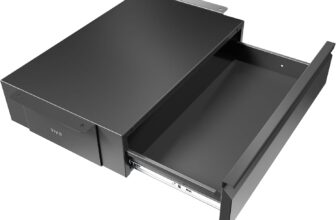
Put the mount toward the back of the desk, where your knees will not reach it, and away from desk drawers. If you are adding an under desk drawer as well, plan both before you drill.
If the laptop stays open as a second screen instead, it belongs on top of the desk at eye level; our best laptop riser for desk comparison covers seven stands for that job.
Which Should You Buy?
- A slim laptop you want hidden for good: IFCASE, or the BYMECOST basic to save a few dollars.
- A laptop or dock with an awkward width: VIVO MOUNT-UDLS1.
- A dock, mini PC or thick laptop: Teridokor.
- A laptop you take out every day: JINGCHENGMEI sliding shelf.
- A rented desk or one you will not drill: BYMECOST no-drill shelf.
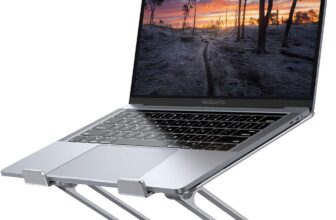
- You type on the laptop itself: VIVO MOUNT-LAP1CB, or keep it on the desk with a vertical laptop stand when closed or a riser such as the Nulaxy C1 laptop stand when open.
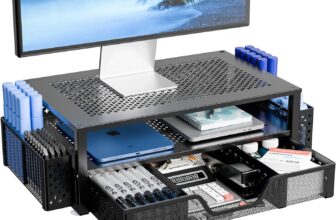
Mounting the laptop is one part of clearing the desk. Our monitor stand with drawer roundup covers storage on top of the desk, and the budget ergonomic desk setup guide puts the whole workstation together.
Frequently Asked Questions
How do you mount a laptop under a desk?
For a bracket mount, place the laptop in the brackets and stick them in position with the included adhesive, check the laptop slides in and out, then drive the screws through each bracket into the underside of the desk. Check your desk thickness first so the screws cannot break through the top. Clamp-on mounts skip the drilling: tighten the clamps on the desk edge and set the laptop on the tray.
Can you mount a laptop under a desk without drilling?
Yes. Clamp-on designs such as the BYMECOST no-drill shelf and the VIVO MOUNT-LAP1CB attach without holes. Some holders also offer adhesive tape, but makers usually limit tape to light devices; Brainwavz, for example, rates its tape option for 2 lb, which is below most laptops.
Will my laptop overheat in an under desk mount?
It can run warmer if its vents are blocked, so check where your laptop takes in and pushes out air and keep those areas open. Vented shelves and brackets with air holes help airflow. A mount does not cool the laptop, so a machine that already runs hot needs extra space around it.
Can I use an under desk laptop mount with a docking station?
Yes, if the dock fits the opening. The Teridokor takes devices up to 2.7 inches and names the Dell WD19 dock, and VIVO describes the MOUNT-UDLS1 as an under-desk docking solution. A shelf design can hold a laptop and a dock side by side.
How do I use my laptop with the lid closed?
Connect power, an external monitor, and a keyboard and mouse. Apple calls this closed-display mode on Mac laptops. On Windows, set the power option for closing the lid to “Do nothing” while plugged in. Then the laptop can stay closed in its mount and drive your desk setup.
Do under desk laptop mounts work on standing desks?
Most do, because the mount rides with the desktop. Leave slack in the cables for the full height range and check that the frame or crossbars do not block the spot you want. The BYMECOST no-drill shelf is designed for standing desks and lift tables without drilling.
Is an under desk laptop mount better than a vertical laptop stand?
A mount frees the whole desktop and hides the laptop; a vertical stand keeps a closed laptop on the desk in a small footprint and needs no installation. If you move the laptop several times a day, a stand is easier. If it stays docked, the mount wins.
Final Verdict
The IFCASE is the under desk laptop mount we would buy first for a slim laptop: well built, padded, screwed in and the best rated of the seven. Choose the Teridokor if the device is thick, the JINGCHENGMEI if the laptop comes out every day, and the BYMECOST no-drill shelf if your desk cannot take screws. The VIVO MOUNT-UDLS1 suits odd widths, the VIVO MOUNT-LAP1CB suits people who type on the laptop, and the BYMECOST basic is the cheapest way to clear the desk.
How We Compared
SoftPickr reviews are research-based. We did not physically install these products. We shortlisted under desk laptop mounts on Amazon with at least 50 ratings and a named brand, opened each live listing on 2 October 2026, and took every specification, price and rating from those pages. Scores weigh fit, build, published load rating, installation, device protection, access to ports, footprint and value. Prices change often; the live Amazon listing is the only accurate source. As an Amazon Associate, SoftPickr earns from qualifying purchases at no extra cost to you.