

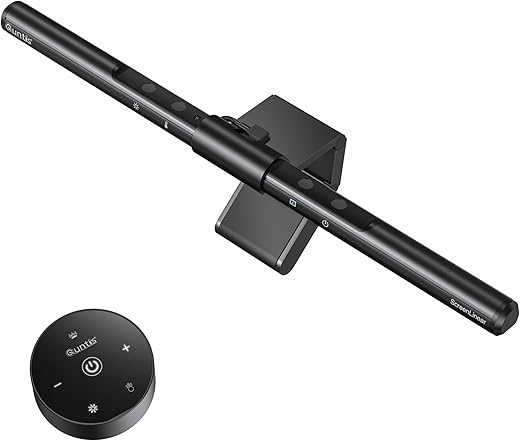
These monitor light bar reviews cover the 5 best monitor light bars compared across every price tier — from a $30 budget pick with motion sensor to the $199 BenQ flagship with zero screen glare. If you spend 6+ hours daily at a computer and experience eye strain, headaches, or visual fatigue, a monitor light bar is one of the most effective desk upgrades you can make. Unlike desk lamps that create shadows, take up space, and reflect off your screen, a monitor light bar sits on top of your monitor and directs asymmetric light downward onto your desk while keeping your screen completely glare-free.
We evaluated each product in these monitor light bar reviews for glare control, CRI color accuracy, brightness output, build quality, control method, and value for money. Every product is available on Amazon, covers a distinct buyer type, and earns its spot in this roundup for a specific reason. According to the American Optometric Association’s research on Computer Vision Syndrome, the contrast between a bright monitor and dark desk surroundings is one of the primary causes of digital eye strain — and every monitor light bar in these reviews is designed to solve that specific problem.
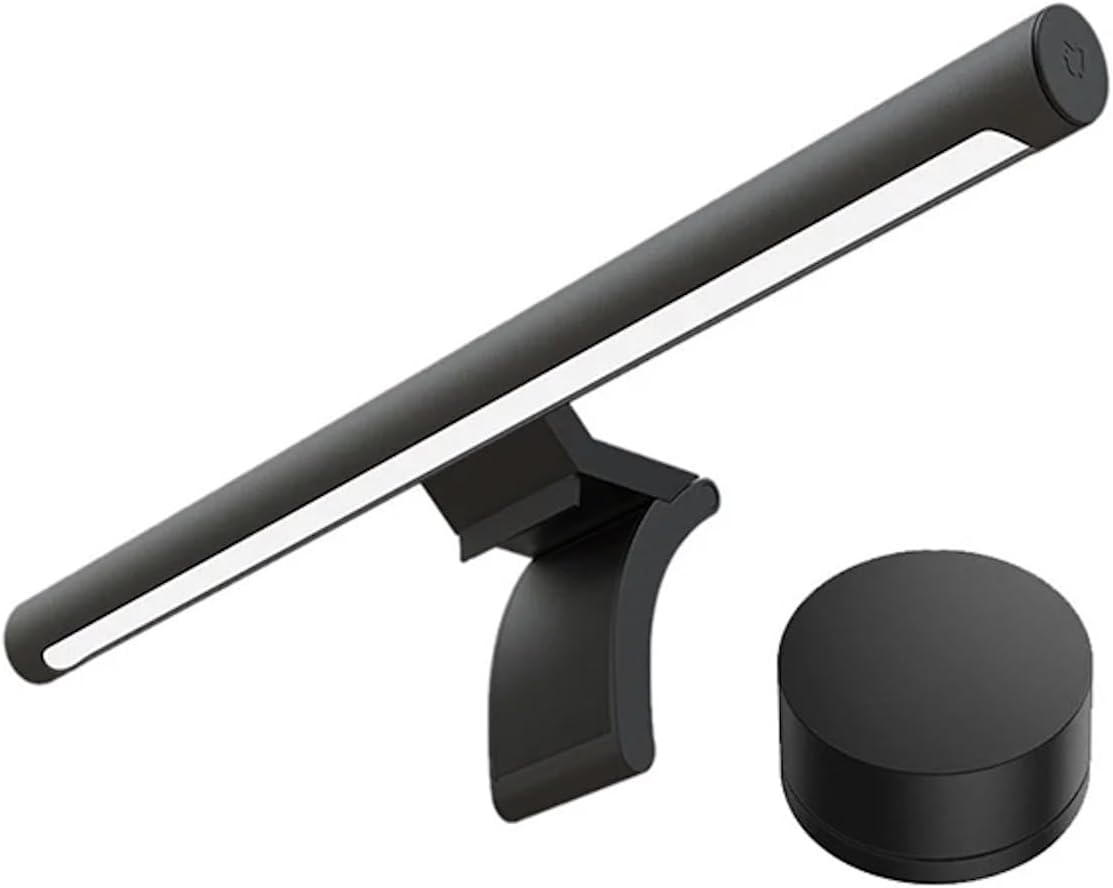
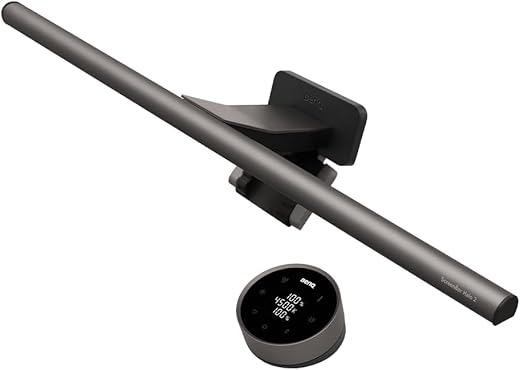
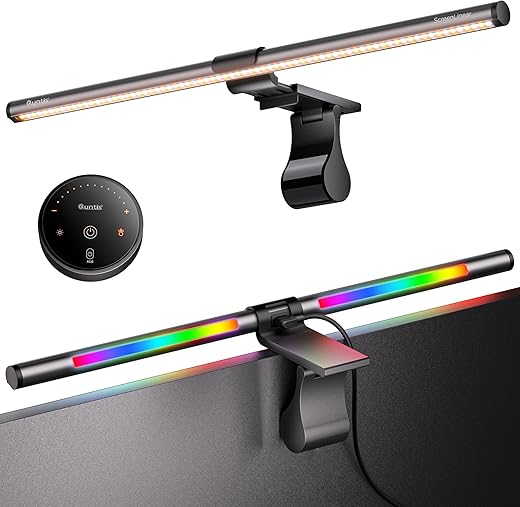
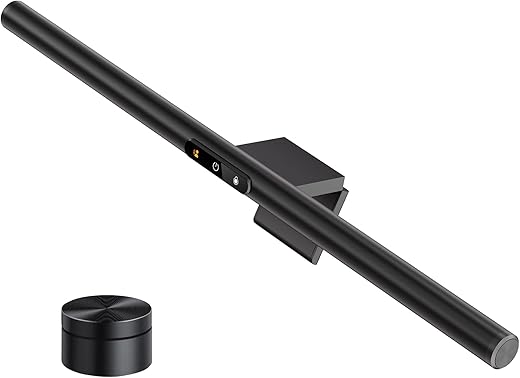
Quick Comparison — All 5 Monitor Light Bar Reviews at a Glance
| Product | Role | Price | CRI | Auto-Dim | Remote | Rear Light | Curved | Rating |
|---|---|---|---|---|---|---|---|---|
| BenQ ScreenBar Halo 2 | Best Overall | $199 | Ra95+ (Rf>96) | Yes | USB-C rechargeable | Tri-zone white | 1000R-1800R | 9.5 |
| Quntis RGB Pro+ | Best Gaming RGB | ~$55-62 | Ra95 | No | Wireless touch | 15 RGB modes | 1500R+ | 9.1 |
| Quntis ScreenLinear Pro+ | Best Value | ~$55-70 | Ra95 | Yes | Wireless 2.4GHz | No | 1500R+ | 9.0 |
| Xiaomi Mi Monitor Light Bar | Best Mid-Range | ~$45-60 | Ra95 | No | Wireless dial | No | Flat only | 8.8 |
| LYMAX Monitor Light Bar | Best Budget | ~$30-40 | ~Ra85 | Yes | Rechargeable | Ambient white | Yes | 8.7 |
1. BenQ ScreenBar Halo 2 — Best Overall Monitor Light Bar (9.5/10)
Price: $199 | CRI: Ra95+ (Rf >96) | Rear Backlight: Tri-zone | Motion Sensor: Yes | Curved: 1000R-1800R
The BenQ ScreenBar Halo 2 is the best overall monitor light bar in these reviews — and the only product with genuinely zero screen glare. The patented 12-lens asymmetric optical system with 18° cutoff angle eliminates light bleed completely across matte, semi-gloss, and glossy panels. Independent testing from multiple reviewers confirms no other light bar achieves this level of glare control.
The tri-zone rear backlight sets the BenQ ScreenBar Halo 2 apart from every competitor. The rear LEDs emit up to 450 nits, creating a halo effect on the wall behind your monitor that reduces screen-to-wall contrast below the ANSI-recommended 1:3 ratio. Front and rear lights are independently adjustable in brightness and color temperature (2700K-6500K).
The ultrasonic motion sensor auto-powers on when you sit at your desk and off when you leave. The USB-C rechargeable wireless controller lasts approximately 3 months per charge. The patented clamp supports curved monitors from 1000R to 1800R — the widest range in these monitor light bar reviews. BenQ backs it with a 2-year warranty.
Best for: Dark room users, glossy panel owners, curved monitor users, photographers and designers who need Rf >96 color fidelity, and anyone willing to invest $199 in lighting that lasts up to 17 years.
Skip if: Your budget is under $100 or you have a flat matte monitor in a well-lit room where rear backlight provides minimal benefit.
Read the full BenQ ScreenBar Halo 2 review →


2. Quntis RGB Pro+ — Best Gaming Monitor Light Bar (9.1/10)
Price: ~$55-62 | CRI: Ra95 | Rear Backlight: 15 RGB modes | Front Lux: 800+ | Curved: 1500R+
The Quntis RGB Pro+ is the only monitor light bar in these reviews that combines Ra95 front task lighting with customizable RGB rear backlight. With 15 RGB modes (solid colors, breathing, rainbow, crawling) and 240+ DIY lighting combinations, the Quntis RGB Pro+ replaces a separate light bar plus LED strip setup in one device.
The 3-mode system on the Quntis RGB Pro+ lets you switch between front-only (productivity), RGB-only (immersive gaming), and combined front + back (balanced desk lighting with atmosphere). The wireless touch remote with tempered glass controls feels premium, and the 20-inch aluminum bar covers large monitors up to 34 inches.
The trade-off versus the Quntis ScreenLinear Pro+ is clear: the RGB Pro+ has lower front brightness (800 lux vs 1,200 lux) and no auto-dimming. But for gamers, streamers, and desk setup enthusiasts who want atmosphere and function in one package, the Quntis RGB Pro+ delivers the BenQ Halo 2’s dual-light concept with added RGB at one-third the price.
Best for: Gamers wanting RGB atmosphere, streamers needing ambient backdrop lighting, desk setup enthusiasts, and users who switch between productivity and gaming daily.
Skip if: You need maximum front brightness for daytime color work or auto-dimming for hands-free adjustment.
Read the full Quntis RGB Pro+ review →

3. Quntis ScreenLinear Pro+ — Best Value Monitor Light Bar (9.0/10)
Price: ~$55-70 | CRI: Ra95 | Front Lux: 1,200+ | Auto-Dimming: Yes | Curved: 1500R+
The Quntis ScreenLinear Pro+ is the best value pick in these monitor light bar reviews — delivering the highest front brightness in the cluster (1,200+ lux), wireless remote control, auto-dimming ambient sensor, Ra95 CRI, and curved monitor support at roughly half the BenQ ScreenBar Halo 2’s price.
The wireless 2.4GHz remote on the Quntis ScreenLinear Pro+ connects instantly with no Bluetooth pairing required. Stepless brightness adjustment from 5% to 100% and stepless color temperature from 3000K to 6500K give you precise control. The auto-dimming sensor continuously monitors ambient light and adjusts output throughout the day — a feature that budget competitors consistently lack.
The 20.1-inch bar provides wider coverage than both BenQ models, and the upgraded weighted clip fits curved monitors 1500R and above. The 45° asymmetric optical design keeps matte screens glare-free, though glossy panels may show minor bleed — the only meaningful trade-off versus BenQ’s patented optics.
Best for: Remote workers wanting maximum front brightness with auto-dimming, curved monitor owners, designers who need Ra95 CRI, and budget-conscious buyers wanting 80-90% of the BenQ experience.
Skip if: You need zero screen glare on a glossy panel or rear backlight for dark room comfort.
Read the full Quntis ScreenLinear Pro+ review →

4. Xiaomi Mi Monitor Light Bar — Best Mid-Range Monitor Light Bar (8.8/10)
Price: ~$45-60 | CRI: Ra95 | Body: Full aluminum | Remote: Wireless dial | Mount: Magnetic rotation
The Xiaomi Mi Monitor Light Bar is the best mid-range pick in these monitor light bar reviews for buyers who value premium build quality and a satisfying wireless puck controller above raw feature count. The full aluminum body rivals BenQ’s construction at one-third the price, and the magnetic rotation mount with 25° adjustability is the most elegant mounting system in the cluster.
The wireless dial on the Xiaomi Mi Monitor Light Bar matches BenQ’s premium control paradigm — rotate for brightness, press and rotate for color temperature (2700K-6500K), short press for power. Ra95 CRI ensures accurate desk colors. The auto power-on via USB eliminates the daily power-button ritual — when your PC boots, the light turns on automatically.
The Xiaomi Mi Monitor Light Bar trades features for build quality. No auto-dimming sensor, no rear backlight, and flat-monitor-only official support. But for the flat-monitor user who values materials and control feel, it hits the sweet spot between budget plastic and premium BenQ pricing.
Best for: Desk setup enthusiasts who value aluminum build quality, flat monitor users (27-32 inches), buyers who prefer manual control over auto-dimming, and anyone upgrading from cheap plastic light bars.
Skip if: You have a curved monitor, need auto-dimming, or want rear backlight for dark rooms.
Read the full Xiaomi Mi Monitor Light Bar review →
5. LYMAX Monitor Light Bar — Best Budget Monitor Light Bar (8.7/10)
Price: ~$30-40 | Motion Sensor: Yes | Auto-Dimming: Yes | Remote: Rechargeable | Rear Light: Yes
The LYMAX Monitor Light Bar is the most feature-packed budget pick in these monitor light bar reviews — and the only product under $40 with a radar motion sensor, adaptive auto-dimming, rechargeable wireless remote, AND rear ambient backlight. That feature set directly rivals the $199 BenQ ScreenBar Halo 2 at roughly one-fifth the price.
The radar motion sensor on the LYMAX Monitor Light Bar auto-powers on when you sit at your desk and turns off when you leave — the same convenience feature that BenQ charges $199 for. The auto-dimming sensor adjusts brightness throughout the day based on ambient light. The rechargeable wireless remote means no AAA battery swaps — an upgrade over the battery-powered remotes on the Quntis and Xiaomi models.
The trade-off is light quality. The LYMAX Monitor Light Bar delivers approximately Ra85 CRI — below the Ra95+ standard of every other product in these monitor light bar reviews. Screen glare control is adequate but not BenQ-level. For daily convenience at minimum cost, nothing else comes close. For color-critical work, step up to the Quntis or BenQ.
Best for: Budget buyers wanting premium convenience features under $40, first-time light bar users testing the concept, students on tight budgets, and anyone who values motion sensor and auto-dimming over raw CRI.
Skip if: You need Ra95+ CRI for design or photography work, or zero screen glare on glossy panels.
Read the full LYMAX Monitor Light Bar review →
Monitor Light Bar Reviews — Buyer’s Guide: What to Look For
Choosing the right monitor light bar depends on five key factors. Understanding each one helps you pick the best product for your specific setup.
Screen Glare Control is the most important feature in any monitor light bar. Asymmetric optics direct light downward onto your desk while keeping your screen glare-free. According to the U.S. Department of Energy’s lighting guidelines, proper task lighting reduces visual fatigue during extended screen use. BenQ’s patented optics deliver zero glare across all panel types. Budget and mid-range bars show minor bleed on glossy panels — tolerable on matte screens but noticeable on QD-OLED.
CRI (Color Rendering Index) measures how accurately a light source reproduces colors compared to natural sunlight (Ra100). For general desk work and gaming, Ra85+ is acceptable. For design, photography, or color-sensitive work, look for Ra95 or higher. In these monitor light bar reviews, the BenQ ScreenBar Halo 2 leads with Rf >96, followed by the Quntis and Xiaomi models at Ra95.
Control Method determines your daily experience. Touch controls on the bar require reaching up to your monitor — fine for occasional adjustments, annoying for frequent changes. Wireless remotes (Quntis, Xiaomi, LYMAX) sit on your desk for instant access. The BenQ ScreenBar Halo 2’s USB-C rechargeable dial is the most refined option.
Auto-Dimming uses an ambient light sensor to adjust brightness automatically as room lighting changes throughout the day. This eliminates manual tweaking and maintains consistent desk illumination. In these monitor light bar reviews, the BenQ ScreenBar Halo 2, Quntis ScreenLinear Pro+, and LYMAX Monitor Light Bar include auto-dimming.
Curved Monitor Support varies significantly. The BenQ ScreenBar Halo 2 supports 1000R-1800R (widest range), the Quntis models support 1500R+, and the Xiaomi is flat-only. If you have a curved gaming monitor, check compatibility before buying.
Monitor Light Bar Reviews — Which One Should You Buy?
Use this decision guide to pick the right monitor light bar from these reviews:
- You want the absolute best with zero compromises → BenQ ScreenBar Halo 2 ($199) — zero glare, tri-zone rear backlight, motion sensor, 2-year warranty
- You’re a gamer who wants RGB atmosphere + task lighting → Quntis RGB Pro+ (~$55-62) — 15 RGB modes, 3-mode system, wireless touch remote
- You want the best front brightness and auto-dimming for the price → Quntis ScreenLinear Pro+ (~$55-70) — 1,200 lux, auto-dimming, curved support
- You value premium build quality on a mid-range budget → Xiaomi Mi Monitor Light Bar (~$45-60) — full aluminum, wireless dial, magnetic mount
- You want maximum features at minimum price → LYMAX Monitor Light Bar (~$30-40) — motion sensor, auto-dimming, wireless remote, rear backlight
Monitor Light Bar Reviews — Frequently Asked Questions
Are monitor light bars worth it?
For users spending 6+ hours daily at a screen — yes. Monitor light bars reduce the contrast between a bright monitor and dark desk surroundings, which is a primary cause of digital eye strain and headaches. They take up zero desk space, create no shadows, and unlike desk lamps, produce no screen reflections when properly designed with asymmetric optics.
Do monitor light bars cause screen glare?
Premium models like the BenQ ScreenBar Halo 2 produce zero screen glare through patented optical systems. Budget and mid-range models may show minor light bleed on glossy panels but are generally glare-free on matte IPS and VA screens. In these monitor light bar reviews, we researched and reported glare performance for each product.
What CRI do I need in a monitor light bar?
For general productivity and gaming, Ra85+ is sufficient. For design, photography, video editing, or any color-sensitive work, look for Ra95 or higher. In these monitor light bar reviews, only the LYMAX (Ra85) falls below Ra95 — all other products deliver Ra95 or above.
Do monitor light bars work on curved monitors?
Some do, some don’t. The BenQ ScreenBar Halo 2 supports 1000R-1800R (widest range), the Quntis ScreenLinear Pro+ and RGB Pro+ support 1500R+, and the LYMAX works with its gravity bracket. The Xiaomi Mi Monitor Light Bar is flat-only. Always check curvature compatibility before purchasing.
Do I need a rear backlight on my monitor light bar?
If you work in a dark or dimly lit room, rear backlight significantly reduces eye strain by softening the contrast between your bright screen and dark wall behind it. If your room is well-lit during the day, rear backlight is less impactful. In these monitor light bar reviews, the BenQ ScreenBar Halo 2 (tri-zone white), Quntis RGB Pro+ (15 RGB modes), and LYMAX (ambient white) include rear backlight.
Which monitor light bar is best for gaming?
The Quntis RGB Pro+ is the best gaming pick in these monitor light bar reviews. The 15 RGB backlight modes create customizable atmosphere behind your monitor, while the Ra95 front light provides solid desk illumination for keyboard visibility during dark-room gaming sessions.
How much should I spend on a monitor light bar?
Budget ($30-40) gets you the LYMAX with surprisingly premium features. Mid-range ($45-70) gets you the Xiaomi or Quntis with Ra95 CRI, wireless remote, and refined optics. Premium ($199) gets you the BenQ ScreenBar Halo 2 with zero glare, tri-zone backlight, and motion sensor. Every price tier delivers genuine value — the right choice depends on which features matter most to your daily workflow.
A light bar solves the screen you look at; a riser solves where the screen sits. If your monitor is still below eye level, that is the ergonomic fault worth fixing before lighting it — our Fenge dual monitor stand review (9.0/10, 42.5 inches with storage), ROCDEER bamboo monitor riser review (8.8/10) and Mexin dual monitor stand riser with drawers review (8.6/10) cover the three risers we rate highest, all of them wide enough for two screens.
Monitor Light Bar Reviews — Final Thoughts
These monitor light bar reviews cover every price tier from $30 to $199, and every product earns its spot for a specific reason. The BenQ ScreenBar Halo 2 is the undisputed best overall with zero screen glare and tri-zone rear backlight. The Quntis RGB Pro+ is the gaming pick with 15 RGB modes. The Quntis ScreenLinear Pro+ is the value king with 1,200 lux and auto-dimming. The Xiaomi Mi Monitor Light Bar is the premium-build mid-range option. And the LYMAX Monitor Light Bar is the budget discovery that packs $199 features at $30-40.
If you spend 6+ hours daily at a computer and don’t yet have a monitor light bar, any product in these monitor light bar reviews will improve your desk comfort. Start with the one that matches your budget and monitor type, and your eyes will thank you within the first week.


