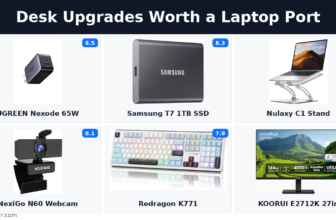
Almost every desk that hurts people is a desk where one object is wrong and five are missing. The chair takes the blame and the money, because it is the piece of furniture you can see. Meanwhile the screen sits four to six inches too low, the keyboard is welded to the laptop, the only light in the room is a ceiling fitting behind your head, and the mouse makes you move your whole forearm several thousand times a day. That is the kind of trade-off a budget ergonomic desk setup forces on you.
This article is about the rest of it. A budget ergonomic desk setup is the set of small, cheap objects that fix what a chair cannot reach, and the six picks below come to two hundred dollars and ninety-four cents at today’s prices. We have reviewed each one individually. What we have not done before is ask all six the same question: what is the single number that decides whether this object does its job, and does the listing publish it?
The answer is no more often than yes, and the failures are not random. Two of the six publish that number to two decimal places and argue with rivals about it. The other four publish everything except it. We grade all six on that, print the price drift found on two of them, and say which to buy first. It is not the highest-scoring product on the page. A budget ergonomic desk setup lives or dies on details like this one.

Budget ergonomic desk setup, compared
The middle column is the wording of the HSE display screen equipment workstation checklist, a free public document shorter than most product manuals. Every pick exists to answer one line of it. The last two columns are ours: the number that decides whether the product can answer that line, and whether the seller publishes it. It is a useful reminder of what a budget ergonomic desk setup can and cannot buy.
| Pick | Price | Score | The checklist line it answers | The number that decides | Published? |
|---|---|---|---|---|---|
| Gorilla Grip Wrist Rest | 12.99 dollars | 9.1 | Is there support for the device user’s wrist and forearm? | How tall the support is, because it has to match the front edge of the keyboard | Yes, in both units |
| Nulaxy C1 Laptop Stand | 15.99 dollars | 8.2 | Are forearms horizontal and eyes at roughly the same height as the top of the DSE? | How far it lifts the screen | No |
| Dott Arts LED Desk Lamp | 24.99 dollars | 8.1 | Is the lighting suitable, eg not too bright or too dim to work comfortably? | Light delivered to the desk, in lux or foot-candles at a stated distance | No |
| Logitech ERGO M575 | 44.99 dollars | 8.8 | Is there support for the device user’s wrist and forearm? | The shell size against your hand | Yes, in full |
| HUANUO HNSS6 Monitor Arm | 47.99 dollars | 8.4 | Are forearms horizontal and eyes at roughly the same height as the top of the DSE? | How much height it gives you above the desk | No |
| Redragon K771 Keyboard | 53.99 dollars | 7.9 | Is the keyboard separate from the screen? | The height of its front edge | No |
Ranked by our review score the order is wrist rest, mouse, monitor arm, laptop stand, lamp, keyboard. Ranked by whether the listing publishes the deciding number, the two products that do are the two highest scores on the page, and the product with four separate specification omissions is the lowest. We come back to that at the end, with reasons to distrust it. This is the sort of gap a budget ergonomic desk setup has to work around.
Gorilla Grip Silky Memory Foam Wrist Rest 2-Piece Set — 12.99 dollars
Score 9.1 · 12.99 dollars · Checklist line: Is there support for the device user’s wrist and forearm? · The number that decides: How tall the support is, because it has to match the front edge of the keyboard · Published: Yes, in both units
A wrist rest is the cheapest thing here and the only one whose usefulness the regulator openly doubts. The checklist asks whether there is support for the wrist and forearm, then notes that support can come from the desk surface or the arm of a chair, with a separate device as the fallback. Anyone assembling a budget ergonomic desk setup should weigh that before ordering.
What the Gorilla Grip set does is cover both hands for one price: a seventeen by three and a half inch rest for the keyboard and a six by three point three inch pad for the mouse, on one point two inches of slow-rebound memory foam under a water and stain resistant spandex top and a slip-resistant rubber base. In a budget ergonomic desk setup, that single detail decides more than the price does.
The thickness is the point. One point two inches is thirty millimetres, against the HyperX rest at 0.87 inches and the Razer at 0.85, and Gorilla Grip puts those comparisons in its own material because thickness is what it wins on. That is the deciding number published clearly and argued about in public. The catch is that a rest height only means anything against the height of the keyboard front edge in front of it, and four picks down you will find that the second number does not exist. It matters more in a budget ergonomic desk setup than it would on an expensive desk.
The set weighs six point seven ounces, comes in five colours and holds 4.6 stars from more than twenty-two thousand buyers.
Best for. A desk being set up from nothing, where support is needed at both hands and you already know what the keyboard front edge measures.
Skip if. Your forearms already rest on the desk edge or on chair arms, which the checklist explicitly allows, or you do not know your keyboard’s front-edge height. Thirty millimetres under a low board tips the wrist upward rather than flat.
Full review: Gorilla Grip Silky Memory Foam Wrist Rest review. Thicker is not automatically better, and the two alternatives it names, the HyperX cooling gel rest and the Glorious wooden rest, win on different things. The whole category is ranked in our wrist rest guide.

Nulaxy C1 Ergonomic Laptop Stand — 15.99 dollars
Score 8.2 · 15.99 dollars · Checklist line: Are forearms horizontal and eyes at roughly the same height as the top of the DSE? · The number that decides: How far it lifts the screen · Published: No
The laptop stand answers the same checklist line as the monitor arm, for a third of the price, and it answers it halfway. Lifting a laptop screen towards eye level lifts the laptop keyboard towards your chest, trading a neck problem for a shoulder and wrist problem, and our own review says so and treats the stand as the first part of a purchase rather than a solution. A budget ergonomic desk setup has no spare money for a second attempt.
As hardware it is better than the price suggests: aluminium composite with silicone contact pads, rated for ten to sixteen inch laptops, folding to 11.81 by 11.02 by 2.76 inches at one point seven pounds, with an open underside that unblocks the intake vents most machines hide against the desk. That is worth knowing before a budget ergonomic desk setup is ordered in one go.
The listing is where it falls down, in two connected ways. It calls the stand adjustable while the specification field on the same page calls the base fixed, and both are partly true, because the height changes by folding the arms into set positions rather than sliding through a range. Nowhere does it say how far the screen actually rises in any of those positions, which makes the stand impossible to specify in advance against your own seated eye height. It holds 4.7 stars across roughly sixteen thousand eight hundred ratings, which is a great deal of agreement for a twenty dollar object.
Best for. A laptop-only worker who owns, or is buying today, a separate keyboard and mouse, and who needs the screen to travel between desks.
Skip if. You are not going to add a separate keyboard and mouse, in which case it is a cooling and desk-space accessory rather than a posture fix. Also skip it if you need a specific screen height, because the positions are stepped and undocumented.
Full review: Nulaxy C1 laptop stand review. If the laptop is the second screen rather than the first, the InnoView portable monitor is the other way to solve it, and a VIVO standing desk converter raises the whole working surface instead.
Dott Arts LED Desk Lamp with USB Ports — 24.99 dollars
Score 8.1 · 24.99 dollars · Checklist line: Is the lighting suitable, eg not too bright or too dim to work comfortably? · The number that decides: Light delivered to the desk, in lux or foot-candles at a stated distance · Published: No
Lighting is the line people skip and the only one with a real legal number behind it in either market. The checklist asks whether the lighting is suitable, neither too bright nor too dim to work comfortably, and suggests local lighting such as desk lamps with a warning about glare bouncing off walls; a ceiling fitting behind your head is the specific failure it describes. The point of a budget ergonomic desk setup is that each object earns its place.
The Dott Arts covers what a desk needs: five colour temperatures from warm amber to cool daylight, three brightness levels in each, a touch panel on the base, a separate night light, two charge-only USB-A ports and an articulated arm with a rotating head on a weighted metal base. Plan a budget ergonomic desk setup around what is published, not around what is claimed.
Two things should be said out loud. The LED is integrated and not replaceable, so the lamp is a consumable rather than a repairable object and you should price a replacement rather than a repair. And the same physical lamp appears under at least six near-identical listings sharing one rating base of 14,182 ratings at 4.5 stars, with only one of them populating a brand field. What you are buying is a well-reviewed design rather than a company with a support line. The model number is DL-701-W and no output figure appears anywhere on the page. For a budget ergonomic desk setup the missing number is the expensive part.
Best for. Anyone whose only light source sits behind their head, and anyone who wants daylight in the morning and warm light in the evening from one fitting.
Skip if. You want something repairable, or a verifiable light level. The LED is sealed into the fitting and no output figure is published in any unit, so neither the American nor the European target below can be checked against it.
Full review: Dott Arts LED desk lamp review. If the glare is coming off the screen rather than the page, a bar that clips to the monitor is the better shape, and the LYMAX light bar and Quntis ScreenLinear Pro+ are ranked against three others in our monitor light bar guide.
Logitech ERGO M575 Wireless Trackball — 44.99 dollars
Score 8.8 · 44.99 dollars · Checklist line: Is there support for the device user’s wrist and forearm? · The number that decides: The shell size against your hand · Published: Yes, in full
The mouse is the pick that publishes everything, and it is worth pausing on how unusual that is. Logitech gives the shell as 134 by 100 by 48 millimetres, the weight as 145 grams, the trackball as 34 millimetres and removable for cleaning, the switches as rated for three million clicks, the battery as up to twenty-four months on a single AA, and the hand size it is built for as seventeen to twenty-one centimetres. You can decide whether it fits you without touching one, which is not true of anything else on this page. A budget ergonomic desk setup is judged by what still works after a month.
What it does ergonomically is remove the movement rather than change the angle. A thumb-operated trackball keeps the hand anchored while the cursor moves, so there is no repeated lift and replace of the whole forearm, and the body sits at a pitch between a flat mouse and a fully vertical one, which is why it is easier to adapt to than the steeper Logitech MX Vertical. That constraint shapes every budget ergonomic desk setup we have put together.
It is not adjustable and does not pretend to be: no tilt adjustment, 2,000 DPI maximum with a 400 DPI default, and a one-year warranty against the keyboard’s two. Our review quotes 49.99 dollars throughout and the listing now reads 44.99, a fall of about ten per cent, which we are printing rather than quietly correcting. In a budget ergonomic desk setup the cheapest object is rarely the least important one.
Best for. A larger hand, seventeen to twenty-one centimetres, on a desk where the pain comes from moving the whole arm rather than the angle of the wrist.
Skip if. Your hand is smaller than about seventeen centimetres, or you need an adjustable tilt angle, or you want a wired mouse with no battery to think about.
Full review: Logitech ERGO M575 review. For a wired pointer with a conventional shape the Razer DeathAdder V3 Wired is the alternative at a similar price, and the full ranking is in our ergonomic mouse guide.
HUANUO HNSS6 Single Monitor Mount — 47.99 dollars
Score 8.4 · 47.99 dollars · Checklist line: Are forearms horizontal and eyes at roughly the same height as the top of the DSE? · The number that decides: How much height it gives you above the desk · Published: No
This is the pick we would buy first, and it is not the highest score on the page. A monitor arm is the only object here that fixes the checklist line about eyes level with the top of the screen without creating a second problem elsewhere, and the gap it closes is typically four to six inches, because factory stands are designed to make the carton smaller rather than to fit a person. This is exactly where a budget ergonomic desk setup tends to go wrong.
The HNSS6 ships with both a desk clamp and a grommet base, rotates, swivels and tilts to eighty-five degrees, takes VESA patterns of 75 by 75 and 100 by 100 millimetres, is alloy steel with cable channels along the arm, and is rated from 4.4 to 19.8 pounds. It is the reason a budget ergonomic desk setup should be bought in an order rather than all at once.
That lower bound is not a typo and it matters: a very light panel will not compress the gas spring enough to hold position. Two faults, both on the listing rather than in the box. The title says it fits thirteen to thirty-two inch monitors while the manufacturer specification field on the same page says seventeen to twenty-seven, and those cannot both be right. A budget ergonomic desk setup survives one bad purchase and not two.
And the height travel above the desk, the number that would let you plan a workstation, appears nowhere. There is also a price to flag: our review is titled around a thirty-four dollar arm and the listing today reads 47.99 dollars, a rise of roughly forty-one per cent, which we are stating rather than reconciling. That is a fair description of what a budget ergonomic desk setup is actually for.
Best for. Anyone still using the stand the monitor came in the box with, on a wooden or laminate desk, with a mainstream 24 or 27 inch panel.
Skip if. Your desk is glass, or a thin flat-pack top with no supporting plate under the clamp. Also skip it if your monitor is under 4.4 pounds, because it will drift upward, or over 19.8 pounds, because it will sag.
Full review: HUANUO HNSS6 monitor mount review. It is also the pick that most changes what the rest of the desk can be, which is why it appears in our desk upgrades roundup on a completely different axis. Nothing in a budget ergonomic desk setup should be bought on a guess.
Redragon K771 Wireless Mechanical Keyboard — 53.99 dollars
Score 7.9 · 53.99 dollars · Checklist line: Is the keyboard separate from the screen? · The number that decides: The height of its front edge · Published: No
A separate keyboard is the one item here the checklist treats as mandatory rather than advisory. The wording is that the keyboard should be separate from the screen, and that this is a requirement unless the task makes it impracticable. If you work on a laptop, everything else on this page is optional and this is not, which is an odd thing to be able to say about the lowest-scoring product in the table. The K771 is a full-size 108-key board with four extra hotkeys, pre-lubed linear switches in hot-swap sockets, a five-layer dampening stack, per-key RGB, wireless with a USB-C wired fallback and a two-year warranty.
The hot-swap sockets are the genuinely useful part, because a dead switch stops being a dead keyboard. The specification page is the problem, and it is the worst here: seventeen fields, with no polling rate, no keycap material, no switch actuation force, no battery capacity and no front-edge height. That last omission is the one that matters, because the front-edge height is what a wrist rest has to match, so the one number the wrist-rest category publishes obsessively cannot be checked against anything. Our review quotes 49.99 dollars and the listing now reads 53.99, on a base of 9,264 ratings averaging 4.4 stars.
Best for. A laptop user who needs a full number pad and wants the option to change switches later without a soldering iron.
Skip if. You want a quiet board for a shared room, or a low-profile board to pair with a thick wrist rest, or you care about keycap plastic and polling rate. None of those can be answered from this listing.
Full review: Redragon K771 keyboard review. If the desk itself is the problem rather than the keyboard, the Sleek Socket flat extension and the UGREEN Nexode 65W charger are the two things that stop a tidy desk turning back into a nest of cables.
How to choose a budget ergonomic desk setup
Start with the checklist, because it is free and it is short
The HSE workstation checklist is a public document written for employers, and it is the closest thing either market has to an agreed list of what a desk has to do. The four lines that matter to a budget ergonomic desk setup are these, in the regulator’s own words. On the screen: “Are forearms horizontal and eyes at roughly the same height as the top of the DSE?” On the keyboard: “Is the keyboard separate from the screen?”, with the note that “This is a requirement, unless the task makes it impracticable”.
On the wrists: “Is there support for the device user’s wrist and forearm?” On the light: “Is the lighting suitable, eg not too bright or too dim to work comfortably?”
Read those four lines and the shopping list writes itself. Note what is not on it: no switch type, no RGB, no DPI, no polling rate, no wood species, no colour-temperature count. Every one of those is something a listing on this page leads with. Read that back against your own budget ergonomic desk setup before spending anything.
The number that decides is rarely the number on the box
Four of six are missing it. The monitor arm does not publish its height travel, the laptop stand does not publish its lift, the lamp publishes no output figure in any unit, and the keyboard publishes no front-edge height. The two that do publish are the mouse and the wrist rest, and the shape of the exception is instructive: both of those numbers are boasts. Logitech’s shell dimensions and stated hand range are an argument for buying a bigger mouse, and the Gorilla Grip’s thirty millimetres is an argument against two named rivals. A budget ergonomic desk setup is mostly a sequence of small, checkable decisions.
The four missing numbers are all fit constraints, and a fit constraint is a reason somebody does not buy. That is the mechanism, and it is the same one this site has now found in five unrelated categories. That detail is easy to overlook when a budget ergonomic desk setup is being assembled quickly.
Buy in this order, and the arm goes first
If you are buying one thing, buy the monitor arm, because raising a screen is the only fix here that nothing else on the desk can substitute for and no amount of sitting up straight achieves. If you are buying two, add the keyboard, because the checklist calls a separate keyboard a requirement. Third is the lamp, because it is the cheapest change to how the whole room feels. The mouse is fourth unless your wrist already hurts, in which case it moves to the top. The laptop stand is only worth buying alongside a keyboard, and the wrist rest is genuinely optional.
The lamp is the only pick with a legal number behind it, and the two markets disagree
This is where a budget ergonomic desk setup stops being the same purchase on both sides of the Atlantic. In Europe and the United Kingdom, lighting for indoor workplaces is specified by EN 12464-1, which lighting manufacturers’ own summaries of the standard put at 500 lux for a normal office workplace. In the United States there is no federal illumination standard for an office as such.
The one numeric figure OSHA publishes sits in 29 CFR 1926.56, which is the construction standard, and says that “Construction areas, ramps, runways, corridors, offices, shops, and storage areas shall be lighted to not less than the minimum illumination intensities listed in Table D-3 while any work is in progress”. Table D-3 gives offices thirty foot-candles. It is the difference between a budget ergonomic desk setup that works and one that sits unused.
Thirty foot-candles is about 323 lux, because one foot-candle is roughly 10.76 lux. So the two figures are not close, and the unit gap hides how far apart they are: the American number is roughly two thirds of the European one, and it only binds anybody on a building site. The Dott Arts publishes neither figure, which means that on the one line of the checklist with a real number attached, the product cannot be checked against either country’s version of it. A budget ergonomic desk setup rewards measuring twice and ordering once.
Britain will pay for your eye test. America will not come to the house.
The second US and UK split is about who the equipment belongs to, and it is sharper than the lighting one. Under regulation 5 of the Health and Safety (Display Screen Equipment) Regulations 1992, a display screen equipment user can ask for an eye and eyesight test, and the employer must arrange one “as soon as practicable after being requested”, before an employee becomes a user, and “at regular intervals” afterwards. Where normal corrective appliances cannot be used, the employer must provide “special corrective appliances appropriate for the work”. This is one of the few places a budget ergonomic desk setup can be specified on paper.
The employer cannot require a test “against that employee’s will”, and sets out the practical version in its guidance on eye tests. The duty follows the worker home: HSE states the regulations “can apply to workers who: work at home on a permanent or long-term basis”, and that where an assessment says equipment is needed, “your workers cannot be charged for this”. The whole argument for a budget ergonomic desk setup rests on points like this.
The American position on the same room is a written withdrawal. OSHA’s directive on home-based worksites states that “OSHA will not conduct inspections of employees’ home offices” and that “OSHA will not hold employers liable for employees’ home offices, and does not expect employers to inspect the home offices of their employees”. That is the same desk, in the same spare bedroom, with a duty attached to it in one market and an explicit refusal to attach one in the other. It is worth knowing before you spend two hundred dollars of your own money on it. For a budget ergonomic desk setup, that is money either well spent or wasted outright.
Two units, and one of them is a conversion wearing a disguise
The unit trap on this page is subtle, because both numbers are published. The Gorilla Grip is listed at 1.2 inches and thirty millimetres. One point two inches is 30.48 millimetres, so the metric figure is a rounded conversion of an American measurement rather than an independent one, which is why it lands on such a tidy number. The Logitech runs the other way: 134 by 100 by 48 millimetres is the real measurement and 5.28 inches is the conversion, which is why that one is untidy. A budget ergonomic desk setup should be built from the desk outwards, not from the catalogue inwards.
The vocabulary diverges too, which matters when you search. What Americans call a home office setup is, in British legal writing, a display screen equipment workstation. Screen sizes are inches in both markets, desk heights are centimetres in one and inches in the other, and a British shelf price includes VAT while an American one does not, which is why no figure on this page has been converted into pounds. Take that into account when costing a budget ergonomic desk setup for a spare room.
What we deliberately did not put a number on
Six things, and the first of them is the one the category most wants a number for.
- Whether any of this reduces pain or prevents injury. We are not clinicians, the products are not medical devices, and no honest single figure exists for a population this varied. If something already hurts, that is a conversation with a doctor, not with a roundup.
- The monitor arm’s height travel. Not published on the listing, and we will not estimate it from photographs.
- The lamp’s output at the desk. No figure in lux, lumens or foot-candles appears anywhere on the listing, so we cannot say whether it meets either country’s number.
- The keyboard’s front-edge height. Absent, along with three other specifications a buyer would reasonably expect.
- How long any of it lasts. Only the mouse publishes a durability figure at all, as a three-million-click switch rating, and that is one component rather than the product.
- What the British basket costs. A British shelf price includes VAT and an American one does not, so a converted dollar total would be wrong in a way that looks precise.
The one number we will print with the assumptions showing is the total. All six picks at today’s listed prices come to 200.94 dollars. The six office chairs this site has reviewed average 513.32 dollars, so the entire rest of the workstation costs about thirty-nine per cent of one average chair and about eleven and a half per cent of the Herman Miller Aeron at 1,749.99 dollars. Those are one day’s prices, and two of them have already moved since their reviews were written. It is the quietest failure mode in a budget ergonomic desk setup.
Which budget ergonomic desk setup should you buy?
Buy the HUANUO HNSS6 at 47.99 dollars first. It is the third-highest score in the table, not the first, and it is still the right answer, because it is the only pick that fixes a checklist line nothing else on the desk can reach. A chair cannot raise a screen. Sitting up straight cannot raise a screen. Everything else here improves a desk that is already roughly correct; the arm is the one that makes it roughly correct.
The highest score on the page is the one we are least confident you need. The Gorilla Grip wrist rest scores 9.1 and costs 12.99 dollars and is an excellent object, and the regulator’s own checklist says in writing that wrist and forearm support can come from the desk surface or a chair arm, with a separate device as the fallback. Buy it if your forearms hang unsupported. Do not buy it because it is cheap and well reviewed.
The lowest score is the only thing on the list described as a requirement. The Redragon K771 scores 7.9, has the worst specification page here by a distance, and is still close to unavoidable if you work on a laptop, because the checklist wants the keyboard separate from the screen unless the task makes that impracticable. A low score on a mandatory item is not a reason to skip the item. It is a reason to shop harder within the category.
The cheapest pick is the one most likely to make things worse. Thirty millimetres of wrist rest in front of a keyboard whose front-edge height nobody publishes is a guess, and the wrong guess extends the wrist upward rather than holding it flat. This is the one combination on the page where buying two of our picks together is riskier than buying either alone, and we would rather say that than sell the pair.
And the second-cheapest is worthless on its own. The Nulaxy stand at 15.99 dollars solves half a problem and creates the other half unless a separate keyboard arrives with it. Treat it as an accessory to the keyboard rather than a purchase in its own right.
The finding: our own scores track the listings, not just the products
Line the six picks up by review score and then by whether the seller publishes the deciding number, and the two orders agree at both ends. The two products that publish it, the wrist rest at 9.1 and the mouse at 8.8, are the two highest scores on the page. The product with four separate specification omissions, the keyboard at 7.9, is the lowest. The monitor arm, which hides one number and contradicts itself on another, sits in the middle at 8.4. A budget ergonomic desk setup is only as good as the worst-specified thing in it.
Six is a small number and we are not going to pretend otherwise. But the mechanism is easy to state and uncomfortable enough to be worth stating: a reviewer who cannot verify a claim marks the product down for it, which means part of what our score measures is the quality of the listing rather than the quality of the object. A well-documented mediocre product and a badly-documented good one do not get equal treatment from us, and they probably should on the hardware and should not on the purchase. That is the practical test we apply to every budget ergonomic desk setup on this site.
We think that is defensible, because you are not buying the object, you are buying the object plus everything you were told about it, and a number you cannot check before ordering is a risk you carry. But a reader who wants the best hardware rather than the safest purchase should know the bias runs that way. Our office chair price guide found the same effect from another angle: the fullest specification lists sit in the middle of the market and the thinnest at both ends. In a budget ergonomic desk setup, an unpublished measurement is a risk you are carrying.
Budget ergonomic desk setup: frequently asked questions
What exactly counts as a budget ergonomic desk setup?
For this article, a budget ergonomic desk setup is everything on the desk except the chair, bought new, for a total in the low hundreds rather than the low thousands. The six picks here come to 200.94 dollars and cover screen height, keyboard separation, pointing, wrist support and light.
Can a budget ergonomic desk setup really replace an expensive chair?
No, and it is not trying to. A chair decides what your hips and lower back do; everything on this page decides what your neck, shoulders, wrists and eyes do. If you must choose, a bad chair with a raised screen is less bad than a good chair with a screen in your lap. Our office chair price guide covers the other half. It is why a budget ergonomic desk setup benefits from a tape measure before a card.
What should I buy first?
The monitor arm, at 47.99 dollars, unless your wrist already hurts, in which case buy the mouse. Screen height is the thing no other object and no amount of willpower can fix, and the gap between a factory stand and eye level is typically four to six inches. A budget ergonomic desk setup does not need to be complete on the first day.
Do I actually need a wrist rest?
Possibly not. The HSE checklist asks whether there is support for the wrist and forearm, then notes that support can come from the desk surface or the arm of a chair. If your forearms already rest on something, a wrist rest is a comfort purchase rather than an ergonomic one. That is the honest position on what a budget ergonomic desk setup delivers.
How high should the top of my screen be?
The checklist phrases it as a relationship rather than a number: forearms horizontal and eyes at roughly the same height as the top of the screen, adjusting the chair first and the screen second. That is why an adjustable arm beats any fixed riser. Anyone pricing a budget ergonomic desk setup will run into this immediately.
How bright should a desk lamp be?
EN 12464-1 sets 500 lux for a normal office workplace in Europe and the United Kingdom. The nearest American figure is thirty foot-candles, about 323 lux, and it sits in OSHA’s construction standard rather than any office rule. Most cheap lamps, including this one, publish no output figure at all.
Will my employer pay for any of this?
In the United Kingdom, possibly: where a display screen equipment assessment shows equipment is needed, HSE says workers cannot be charged for it, and the eye-test provisions of regulation 5 reach homeworkers who meet the definition of a user. In the United States, OSHA has said in writing that it will not inspect home offices, so anything you get is company policy rather than regulation.
Does any of this fix back pain?
We are not going to claim that it does. These are desk accessories, not treatments, and pain has causes a roundup cannot see. What this page can honestly tell you is which object changes which measurable thing about a workstation, and what the seller has and has not told you about it.
Final thoughts
A budget ergonomic desk setup is a strange shopping category, because nothing in it is expensive and almost none of it is specified well enough to buy on paper. Six objects, two hundred dollars and ninety-four cents, and four of the six will not tell you the measurement that decides whether they work at your desk. The two that will are the two we scored highest, which should make a reader slightly suspicious of our scores as well as of the listings.
Buy the arm first. Add a separate keyboard if you work on a laptop, because that is the only item the regulator’s own checklist calls a requirement. Treat the wrist rest as optional and the laptop stand as an accessory to something else. And if you are in the United Kingdom, ask your employer about the eye test before you spend anything, because that particular cost is not supposed to be yours.
If the chair is the next thing on the list, our guide for taller users, our guide for smaller users and the Hinomi H2 Pro against the HBADA E3 comparison are the places to start. If the floor under it is the problem, the chair mat guide ranks five, including the Sallous and the Vitrazza glass mat.