
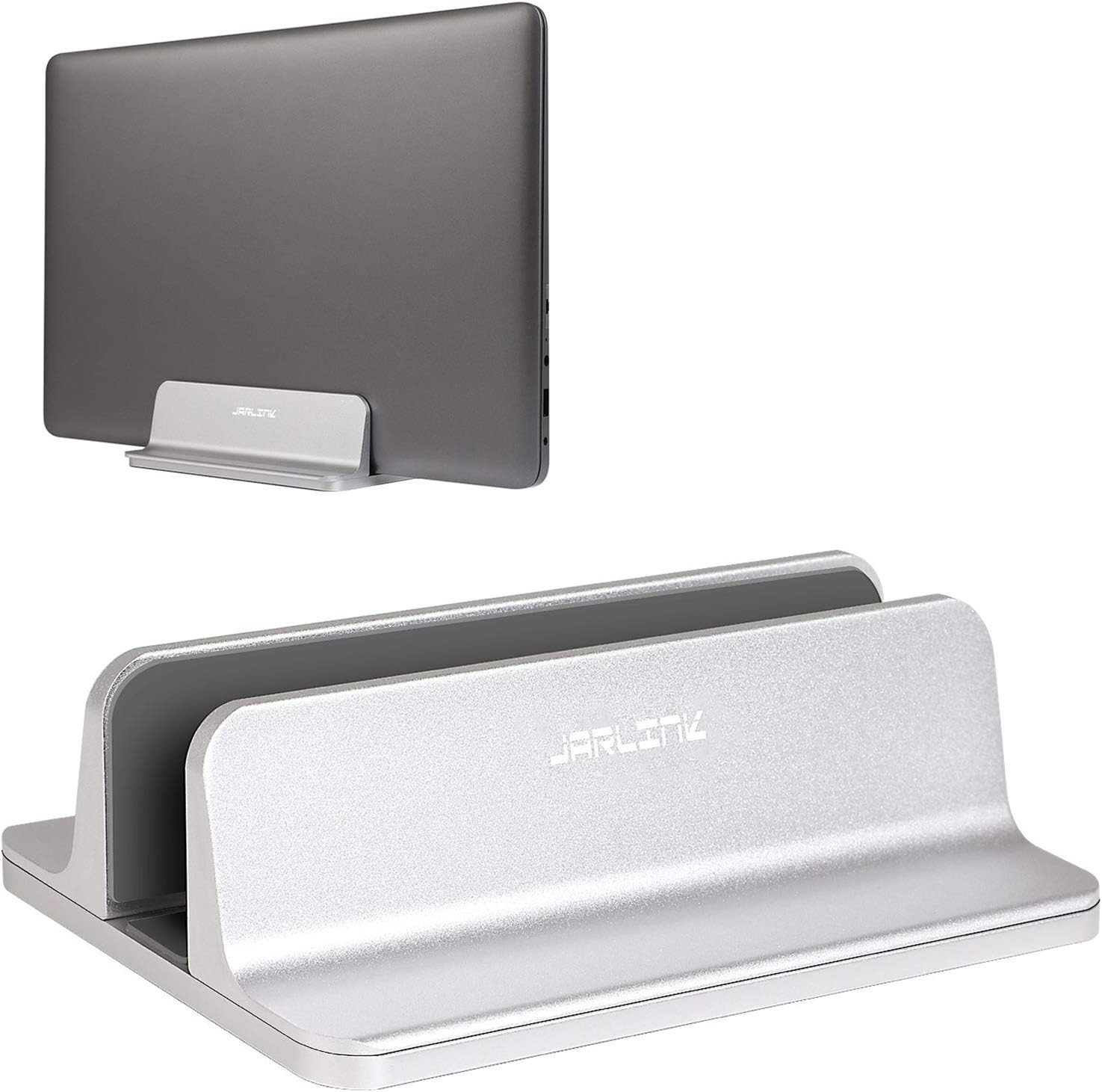

JARLINK Vertical Laptop Stand — Adjustable Aluminium Desktop Holder, 0.55–2.55 In
The JARLINK vertical laptop stand is the entry point into aluminium docks. It is a single-slot holder that stands a closed laptop on its edge, freeing the rectangle of desk the machine used to occupy, and at $19.99 it undercuts almost every anodised-aluminium competitor while using the same construction.
Original price was: $22.99.$19.99Current price is: $19.99.
 Amazon.com
Original price was: $22.99.$19.99Current price is: $19.99.
Description
JARLINK Vertical Laptop Stand Review (2026) — Is the Cheapest Aluminium Dock Good Enough?
The JARLINK vertical laptop stand is the entry point into aluminium docks. It is a single-slot holder that stands a closed laptop on its edge, freeing the rectangle of desk the machine used to occupy, and at $19.99 it undercuts almost every anodised-aluminium competitor while using the same construction.
We reviewed it because the cheap end of this category is usually plastic, and plastic docks flex under a 4 lb laptop until the slot splays. JARLINK’s answer is scratch-resistant anodised aluminium with a silicone-lined slot, adjusted by a supplied Allen key rather than a thumbscrew. The compromise is that adjustment is a deliberate, tool-in-hand operation — not something you change between devices.
Quick verdict: the JARLINK vertical laptop stand scores 8.5/10. It is the best value in the category if you own one laptop and will set the width once.
Table of Contents
Key Specifications
| Feature | Specification |
|---|---|
| Brand | JARLINK |
| Colour | Silver (anodised) |
| Form Factor | Tower — single vertical slot |
| Adjustable Thickness | 0.55 in to 2.55 in |
| Adjustment Method | Allen key (included) |
| Material | Anodised aluminium, scratch-resistant |
| Slot Lining | Non-toxic silicone pad |
| Compatible Devices | MacBook Pro/Air, iPad, Microsoft Surface, Chromebook and similar |
| In The Box | 1 × stand, 1 × Allen key |
| Price At Review | $19.99 |
| Amazon Rating | 4.8 out of 5 stars from 5,539 ratings |
Anodised Aluminium at a Plastic Price
The reason to spend $19.99 rather than $12.99 is the material. JARLINK builds this from anodised aluminium, which resists the scuffing that turns a cheap dock scruffy within months, and it carries enough mass that a laptop dropped into the slot does not shift the stand across the desk. The silicone pad inside the slot is the part that matters day to day: it is what stops the lid picking up fine scratches every time the machine goes in or comes out.
The 0.55 to 2.55 Inch Range, and What It Actually Covers
Two inches of adjustment sounds generous and mostly is. The floor of 0.55 in comfortably holds a MacBook Air; the ceiling of 2.55 in is wide enough for a thick gaming laptop, and wide enough to hold a laptop inside a protective sleeve, which is the use case most buyers forget to check. If you dock a machine in a case, measure the case, not the laptop.
Allen Key Adjustment — a Design Choice With Two Sides
The width is set by an Allen key rather than a thumbwheel. That makes it firmer once set, because there is no knurled screw to work loose under vibration. It also makes it genuinely inconvenient if you swap between a slim ultrabook and a thick workstation, because you need the key in your hand every time. For a single-machine desk this is an advantage. For a shared desk it is not.
Limitations and Compromises
The Allen key adjustment is the real limitation: this is a set-and-forget stand, not a switch-between-devices stand. It also holds exactly one device, so if you wanted somewhere to park a tablet and a phone alongside the laptop, this is not that product. And while the aluminium is solid, the finish is a plain brushed silver — it sits beside a MacBook without embarrassment, but it does not match one the way a purpose-matched finish does.
Setup and Maintenance
Setup is a two-minute job: loosen the base screws with the supplied Allen key, set the gap slightly wider than your laptop, seat the machine, then tighten until the silicone just grips. Do not overtighten — the pad should compress a little, not deform. Keep the Allen key somewhere you will find it again; it is the only way to change the width later. Wipe the silicone pad occasionally, as dust trapped there is what eventually scratches a lid.
Who Should Buy It?
- You own one laptop and will set the slot width once
- You want anodised aluminium rather than plastic at the lowest price
- Your machine lives docked to an external monitor most of the day
- You dock a laptop inside a sleeve or case and need the wider end of the range
Look elsewhere if you share the desk or rotate between machines of very different thicknesses — the OMOTON’s screw adjustment or a multi-slot stand will be far less irritating. And if you want something that looks designed rather than merely functional, the walnut UPERGO or the Rain Design mTower are the pages to read instead.
SoftPickr Verdict
The JARLINK vertical laptop stand scores 8.5/10. Anodised aluminium at the lowest price in the category, and the one compromise you are accepting is stated plainly above. Prices on Amazon move; the figure in this review was $19.99 at the time of writing and the live listing is the only accurate source.
JARLINK vertical laptop stand review — Frequently Asked Questions
Does the JARLINK vertical laptop stand fit a MacBook Pro 16?
Yes. The slot adjusts from 0.55 in to 2.55 in, which covers every current MacBook including the 16-inch Pro, with room left for a slim sleeve.
Do you need tools to adjust it?
Yes — an Allen key, and JARLINK includes one in the box. There is no thumbscrew, so width changes are deliberate rather than casual.
Will it scratch the laptop lid?
The slot is lined with a non-toxic silicone pad that sits between the metal and the lid. Keep the pad clean, because trapped grit is what actually causes scratches.
Can it hold two devices?
No. This is a single-slot stand. For a laptop plus a tablet you want a multi-slot design such as the UGREEN 3-slot.
Ready to buy? You can check the current price of the JARLINK vertical laptop stand on Amazon — the listing shows live pricing and current stock, both of which move around more than the specification does. SoftPickr earns a commission on qualifying purchases at no extra cost to you.


There are no reviews yet.