The best laptop riser for desk use for most people is the Lamicall adjustable aluminum stand: it changes both height and angle, fits laptops from 10 to 17.3 inches, folds flat for a bag and had 4.7 stars from more than 10,000 ratings when we checked. If you want a fixed stand that never moves, a stand you can work standing at, or the lightest stand for travel, one of the other six below fits better.
A laptop on a desk puts the top of the screen well below your eyes, so you spend the day looking down. A riser lifts the screen toward eye level, opens space underneath for airflow, and turns the laptop into a second screen next to a monitor. This guide compares seven picks for the best laptop riser for desk setups on the numbers that decide whether one works for you: how high it lifts, whether it adjusts, which laptop sizes it fits, the published weight rating, and how easily it folds away.
How we compared: this is a research-based comparison. We did not physically use these stands. Every specification comes from the live Amazon listing, checked on 3 October 2026, and the verdicts weigh those figures and the owner ratings against each other. Where a maker does not publish a number, we say so instead of guessing.
Quick Picks
- Best overall: Lamicall adjustable stand (8.7/10) — height and angle, 10 to 17.3 in, folds flat
- Best fixed-height stand: Rain Design mStand (8.6/10) — one piece of aluminum, 5.9 in lift, cable hole
- Best budget: BESIGN LS03 (8.5/10) — aluminum, 8.8 lb rating, the most owner ratings here
- Best for sit-to-stand: tounee telescopic stand (8.4/10) — 2.1 to 21 in, 360° base, 22 lb
- Best for travel: Roost V3 (8.3/10) — 6 oz, 6.5 to 12.5 in screen lift
- Best foldable for heavy laptops: Nulaxy foldable stand (8.2/10) — dual-rod frame, 22 lb rating
- Best wood design: HumanCentric walnut riser (8.0/10) — black walnut top, 25° tilt
Amazon’s Prime Big Deal Days runs 6–7 October; the prices below were checked on 3 October and will move.
Laptop Riser for Desk Comparison Table
| Pick | Height | Adjusts | Laptop size | Weight rating | Folds | Price (3 Oct) | Amazon rating |
|---|---|---|---|---|---|---|---|
| Lamicall | Not published | Height + angle | 10–17.3 in | Not published | Yes | $28.99 | 4.7 (10,508) |
| Rain Design mStand | 5.9 in | No | Depth under 10.4 in | Not published | No | $37.86 | 4.8 (11,306) |
| BESIGN LS03 | About 5.7–6 in | No | 10–15.6 in | 8.8 lb | Comes apart | $15.29 | 4.8 (24,293) |
| tounee telescopic | 2.1–21 in | Height + angle, 360° base | 10–17 in | 22 lb | Yes | $53.99 | 4.7 (4,283) |
| Roost V3 | 6.5–12.5 in (screen lift) | Height | 12–18 in | Not published | Yes (6 oz) | $89.95 | 4.8 (1,777) |
| Nulaxy | Not published | Yes | 10–16 in | 22 lb | Yes | $17.99 | 4.7 (16,886) |
| HumanCentric | 6.2 in rear, 2 in front | No (25° tilt) | Up to 16 in | Not published | No | $69.99 | 4.5 (153) |
1. Lamicall Adjustable Laptop Stand — Best Laptop Riser for Desk Overall
Specs: aluminum alloy · adjusts in height and angle · laptops 10 to 17.3 in · larger, heavier base · ventilation holes · anti-skid silicone · folds for a bag · weight capacity not published · $28.99 · 4.7 stars from 10,508 ratings.
The Lamicall is the stand we would recommend to someone who has not yet worked out exactly what they need, because it covers the most ground. It adjusts in two directions, height and tilt, so it can sit low under a 13-inch laptop on a tall desk or higher under a 16-inch machine on a short one. Lamicall lists every laptop from 10 inches up to 17.3 inches, the widest range in this group, and names the MacBook Pro 16, Dell XPS, Surface Laptop and Alienware models among them.
Folding stands tend to wobble because a tall arm rises from a narrow foot. Lamicall’s fix is a larger and heavier base, which the listing says stops the stand shaking or sliding while you type. The top plate is drilled with ventilation holes, and silicone pads keep the laptop in place. It folds for a laptop bag, so it can move between home and the office.
The gap is in the published numbers. Lamicall gives neither a height range nor a weight capacity, so you cannot plan an exact eye-level setup on paper the way you can with the Roost or the tounee. For a typical 13 to 16-inch laptop that is rarely a problem; for a heavy 17-inch gaming machine, the Nulaxy and the tounee both list 22 lb.
Best for: most people, any laptop from 10 to 17.3 inches, desks shared between people of different heights.
Skip if: you want a fixed stand with no joints at all, or you need published load and height figures.
Read the full Lamicall laptop stand review · Check the price on Amazon
2. Rain Design mStand — Best Fixed-Height Stand
Specs: single-piece aluminum, sand-blasted and silver anodized · 5.9 in screen lift · 2 in rear cable hole plus cable organizer · keyboard stash space · laptops with a depth under 10.4 in · weight capacity not published · $37.86 · 4.8 stars from 11,306 ratings.
The mStand is the opposite of the Lamicall: no hinges, no knobs and one height. Rain Design bends a single piece of aluminum into the stand and gives it a sand-blasted, anodized finish that matches a MacBook. With nothing to loosen, it sits exactly where you left it for years, which is why it has stayed on so many desks. When we checked, it carried 4.8 stars from 11,306 ratings, one of the two highest scores here.
Rain Design says the aluminum acts as a heat sink, drawing warmth from the laptop’s base. At the back, a 2-inch hole and a cable organizer route the charger and USB-C cables, and the space under the front edge is meant for stashing the keyboard when you want a clear desk. The listing showed only a few units in stock on the day we checked, so confirm availability before you plan around it.
The fixed 5.9-inch lift is the trade-off. At a standard desk with a 13 to 15-inch laptop that brings the screen up to a comfortable height for many people, but tall users, high chairs and anyone who wants to stand will run out of height. It also does not fold, and Rain Design limits it to laptops less than 10.4 inches deep.
Best for: one desk, a MacBook or similar laptop, people who want a set-and-forget stand with tidy cables.
Skip if: you need to change the height, carry the stand, or own a deep 17-inch laptop.
Read the full Rain Design mStand review · Check the price on Amazon
3. BESIGN LS03 — Best Budget Laptop Riser
Specs: aluminum alloy · fixed lift of about 6 in (the listing also says up to 14.5 cm / 5.7 in) · laptops 10 to 15.6 in · 8.8 lb (4 kg) capacity · rubber-lined holder hands · detachable, folds flat · $15.29 · 4.8 stars from 24,293 ratings.
The BESIGN LS03 has the biggest pool of owner ratings in this comparison by a wide margin: 24,293 ratings at 4.8 stars when we checked, at $15.29. For a research-based review, that much feedback at that price is the strongest evidence any of these stands has.
It is a simple aluminum alloy frame. Rubber on the holder hands grips the laptop, the open design leaves the underside free for air, and BESIGN publishes an 8.8 lb (4 kg) capacity, which covers any normal 13 to 15.6-inch laptop. Instead of hinges it comes apart; BESIGN says it assembles in three steps and folds flat for storage.
It does not adjust. BESIGN describes the lift as 6 inches in one bullet and up to 14.5 cm (5.7 inches) in another, so plan on roughly 5.7 to 6 inches, close to the mStand’s 5.9. It also stops at 15.6-inch laptops, so a 16 or 17-inch machine belongs on the Lamicall or the Nulaxy.
Best for: anyone who wants a proven, cheap aluminum stand for a laptop up to 15.6 inches.
Skip if: your laptop is larger than 15.6 inches or you need more height.
Read the full BESIGN LS03 review · Check the price on Amazon
4. tounee Telescopic Laptop Stand — Best for Sit-to-Stand
Specs: aluminum alloy · telescoping height of 2.1 to 21 in · 360° swivel base · 22 lb capacity · two pivot joints · laptops 10 to 17 in · folds for storage · $53.99 · 4.7 stars from 4,283 ratings.
Most risers top out somewhere under a foot. The tounee is built to make an ordinary desk work as a part-time standing desk. A telescoping column, released with a button, takes the laptop from 2.1 inches up to 21 inches, so you can type sitting in the morning and stand for afternoon calls without a new desk.
A tall column needs a solid footing, and tounee lists a large, heavier base, two pivot joints and a 22 lb capacity, tied with the Nulaxy for the highest published load in this group. The base turns 360 degrees, so you can swing the screen toward someone across the desk without lifting the laptop.
At standing height the laptop’s own keyboard is out of reach for typing, so plan on an external keyboard and mouse on a surface near elbow height. And a laptop 21 inches up on a small base is more exposed to a knock than one on a low riser. If you already own a standing desk, you do not need this much height; the Lamicall or the Nulaxy is enough. If you will stand more often, a balance board makes a good companion; our balance board for standing desk comparison covers five.
Best for: alternating between sitting and standing without buying a standing desk; sharing your screen across a table.
Skip if: you already have a standing desk, or you want something slim to carry.
Read the full tounee telescopic stand review · Check the price on Amazon
5. Roost V3 — Best for Travel
Specs: 6 oz · screen lift of 6.5 to 12.5 in · self-adjusting PivotGrips for 12 to 18 in laptops · interlocking truss frame · two-handed height lock · weight capacity not published · $89.95 · 4.8 stars from 1,777 ratings.
The Roost is the stand for people who carry it every day. It weighs 6 oz, and Roost says it packs thin enough to live in a laptop bag. It opens in one motion to the height you set last time, so setting up at a café table or a hot desk takes seconds. When we checked, it had 4.8 stars from 1,777 ratings.
The price, $89.95 at the time, buys two things the cheap folding risers lack. One is height: Roost lists a screen lift of 6.5 to 12.5 inches, enough to bring a screen to eye level even at a low table. The other is rigidity: an interlocking truss frame and a two-handed lock, which Roost pitches directly against rotating-base stands that it says shake. Its PivotGrips adjust themselves to any laptop from 12 to 18 inches.
It costs several times as much as the BESIGN or the Nulaxy, which also fold. Roost does not publish a weight capacity, and laptops under 12 inches will not fit the grips.
Best for: hybrid workers, frequent travelers and anyone who wants the highest lift in a stand that fits in a bag.
Skip if: the stand will never leave your desk, or your laptop is smaller than 12 inches.
Read the full Roost V3 review · Check the price on Amazon
6. Nulaxy Foldable Laptop Stand — Best Foldable for Heavy Laptops
Specs: dual foldable design with a dual-support rod mechanism · laptops 10 to 16 in · 22 lb (10 kg) capacity · geometric heat-vent top panel · anti-slip silicone pads · folds completely flat · height range not published · $17.99 · 4.7 stars from 16,886 ratings.
The Nulaxy is the budget folding stand with the strongest published load rating: 22 lb (10 kg), matched only by the much pricier tounee. Nulaxy credits a dual-support rod mechanism rather than a single hinge, which the listing says spreads the weight and stops wobble while you type. When we checked, it cost $17.99 with 4.7 stars from 16,886 ratings.
The upper panel has a geometric heat-vent pattern so air can reach the laptop’s underside, silicone pads keep the laptop from sliding, and the whole stand collapses flat for a backpack. Nulaxy calls it adjustable but does not publish a height range, and it stops at 16-inch laptops.
Best for: heavier 14 to 16-inch laptops, people who carry a stand, buyers on a tight budget.
Skip if: you have a 17-inch laptop or want a published height range.
Read the full Nulaxy laptop stand review · Check the price on Amazon
7. HumanCentric Walnut Laptop Riser — Best Wood Design
Specs: black walnut veneer over plywood, 11.2 x 9 in platform · 5.6 in anodized aluminum base with a silicone bottom · 25° tilt · 6.2 in rear height, 2 in front height · silicone-padded front lip · laptops up to 16 in · fixed · $69.99 · 4.5 stars from 153 ratings.
Every other stand here is gray or silver metal. The HumanCentric is the one to buy when the desk is part of a room you care about. Its platform is real black walnut veneer over plywood, with a layered edge, on a space gray anodized aluminum cylinder. A silicone bottom keeps it from sliding and a padded front lip protects the laptop.
HumanCentric publishes more geometry than most makers: a 25 degree tilt, a 6.2-inch rear height, a 2-inch front height, an 11.2 x 9-inch platform and a 5.6-inch base. That lets you check the fit before you buy. Some owners also use it as a book or notebook stand, the listing notes.
It is fixed in height and angle, it lifts the screen less than the tall adjustable stands, and its solid platform covers more of the laptop’s underside than an open frame. It also has the smallest rating pool here (153), so there is less owner evidence behind it.
Best for: wood desks, design-led home offices, smaller laptops at a standard desk.
Skip if: you need height adjustment or maximum airflow.
Read the full HumanCentric laptop riser review · Check the price on Amazon
Other risers worth a look
Three more stands passed our listing check on 3 October but did not make the main list because a pick above covers the same job: the BESIGN LSX7 with a 360° rotating base ($24.99, 13 lb rating, 4.6 stars from 6,126 ratings), the Amazon Basics adjustable stand ($25.49, up to 7 in of height adjustment, 11 lb, 4.6 stars from 3,842 ratings) and the LOXP stand with a 360° rotating base ($27.99, laptops up to 16 in, 4.6 stars from 2,468 ratings).
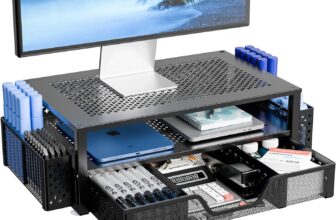
If you want a drawer under the laptop as well as height, a monitor riser with storage does both jobs: the Simple Trending 2-tier mesh stand and the Zimilar height-adjustable riser with a letter-size drawer both take a laptop, and our monitor stand with drawer comparison covers seven.
The Trade-Off None of Them Escapes
A riser fixes the screen and breaks the keyboard. Once the top of the display is near eye level, the laptop’s own keyboard sits high and tilted, and typing on it pushes your wrists and shoulders up. Roost and HumanCentric say so in their own listings and recommend an external keyboard and mouse. Budget for one when you buy a laptop riser for desk work, or the stand will only help on video calls and while reading.
The second trade-off is between adjustment and stiffness. Fixed stands like the mStand and the BESIGN LS03 have nothing to loosen, but they only suit one height. Adjustable stands fit more people and desks, but every hinge and telescope is a joint that has to stay put while you type, which is why Lamicall, tounee and Roost each make a point of their base or frame.
How to Choose a Laptop Riser for Desk Use
Height: aim the top of the screen at eye level
OSHA’s computer workstation guidance puts the top of the screen at or slightly below eye level. Measure from your desk to your eyes while seated, subtract the height of your laptop’s screen when open, and you have the lift you need. Fixed stands lift about 5.7 to 6.2 inches; the Roost lifts the screen 6.5 to 12.5 inches; the tounee goes from 2.1 to 21 inches.
Fixed or adjustable
If one person uses one desk, a fixed stand is simpler and stiffer. If the desk is shared, your chair height changes, or you move between places, an adjustable stand saves you from guessing. Only a telescopic stand like the tounee reaches standing height.
Laptop size and weight
Check the size range and, where one is published, the weight rating. Here they run from 15.6 inches (BESIGN LS03) to 18 inches (Roost V3), and from 8.8 lb (BESIGN) to 22 lb (Nulaxy and tounee). Several makers publish no capacity at all; for a heavy gaming laptop, choose one that does.
Airflow
Most laptops take in air underneath. An open frame or vented top lets that air in; a solid wood platform covers more of it. A riser is passive and has no fan, so a laptop that already runs hot under load will still run hot, just less hemmed in.
Portability
If the stand travels, weight and folded size matter more than anything else. The Roost weighs 6 oz; the Nulaxy, Lamicall and BESIGN fold or come apart flat; the mStand and HumanCentric stay on one desk.
Where the laptop sits on the desk
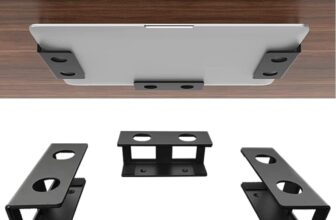
A riser keeps the laptop open as a second screen. If the laptop stays closed and docked to a monitor, you may not need a riser at all: a vertical laptop stand stores it upright in a small footprint, and an under desk laptop mount moves it off the desk entirely.
Which Laptop Riser for Desk Should You Buy?
- Most people: the Lamicall, for height and angle adjustment and the widest laptop range.
- One desk, set and forget: the Rain Design mStand.
- Lowest price with the most owner feedback: the BESIGN LS03.
- Sit and stand at the same desk: the tounee telescopic stand.
- Daily travel: the Roost V3.
- Heavy laptop on a budget: the Nulaxy.
- A wood desk: the HumanCentric walnut riser.
Building the rest of the workstation? Our budget ergonomic desk setup guide covers the chair, monitor and desk accessories around the laptop.
Frequently Asked Questions
Is a laptop riser worth it?
Yes, if you work at a laptop for hours and pair the riser with an external keyboard and mouse. Raising the screen toward eye level reduces how far you look down, and the open space underneath helps airflow. Without a separate keyboard, a riser mainly helps on video calls and for reading.
What is a laptop riser?
A laptop riser is a stand that lifts a laptop’s screen higher on the desk, usually tilting it toward you. Some are fixed, like the Rain Design mStand; others adjust in height and angle, like the Lamicall; and telescopic models like the tounee reach standing height.
Laptop riser vs laptop stand: what is the difference?
The terms are used for the same products. “Riser” stresses lifting the screen; “stand” also covers vertical stands that hold a closed laptop upright. If your laptop stays closed and docked, see our vertical laptop stand comparison instead.
How high should a laptop riser be?
High enough that the top of the screen sits at or slightly below eye level, which is OSHA’s guidance for computer screens. For most people at a standard desk that means a lift of roughly 6 to 12 inches, depending on screen size and seat height.
Is a laptop riser better than a cooling pad?
They solve different problems. A riser fixes screen height and leaves room for passive airflow; a cooling pad adds fans but usually keeps the laptop low. If posture is the issue, choose a riser; if heat is the only issue, a cooling pad does more.
Can I use a laptop riser on a standing desk?
Yes. On a standing desk, any riser here lifts the screen the same way it does when you sit. On a regular desk, only a telescopic stand such as the tounee, at up to 21 inches, gets a laptop to standing height.
Do I need a keyboard with a laptop riser?
For posture, yes. Once the screen is at eye level the built-in keyboard is too high for comfortable typing, so use an external keyboard and mouse at elbow height. Roost and HumanCentric both recommend one in their listings.
Final Verdict
The Lamicall is the laptop riser for desk setups we would buy first: it adjusts in height and angle, fits the widest range of laptops and folds away. Choose the Rain Design mStand if you want one solid height that never moves, the BESIGN LS03 if price matters most, and the tounee if you want to stand. The Roost V3 is the travel stand, the Nulaxy is the cheap folding stand for heavier laptops, and the HumanCentric is the one that looks like furniture.
How We Compared
SoftPickr reviews are research-based. We did not physically use these products. We shortlisted laptop risers on Amazon with at least 50 ratings and a named brand, opened each live listing on 3 October 2026, and took every specification, price and rating from those pages. Scores weigh stability, adjustability, build, laptop fit, airflow, portability, ease of use and value. Prices change often; the live Amazon listing is the only accurate source. As an Amazon Associate, SoftPickr earns from qualifying purchases at no extra cost to you.