
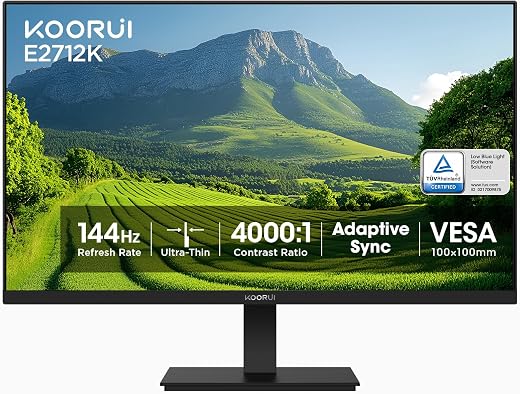
KOORUI E2712K 27 Inch Computer Monitor — 144Hz FHD 1080p VA Display, FreeSync, HDMI and VGA
The hundred-dollar monitor used to mean 24 inches, 60 hertz and a stand that wobbled. The KOORUI E2712K is what the same money buys now: 27 inches, a 144 hertz VA panel, FreeSync and a three-year warranty on the accessories. It holds 4.5 stars across roughly 15,400 Amazon ratings, which is a large base for a brand most buyers have never heard of. The refresh rate and the price are genuinely impressive, and 1080p stretched across 27 inches is a compromise you will see every day.


| Price history for KOORUI 27 Inch Computer Monitor 144Hz FHD 1080p VA Display for Work & Play | |
|---|---|
|
Latest updates:
|
|

$149.98
Description
KOORUI 27 Inch Monitor Review — What Does $100 Buy at 144Hz?
The hundred-dollar monitor used to mean 24 inches, 60 hertz and a stand that wobbled. The KOORUI E2712K is what the same money buys now: 27 inches, a 144 hertz VA panel, FreeSync and a three-year warranty on the accessories. It holds 4.5 stars across roughly 15,400 Amazon ratings, which is a large base for a brand most buyers have never heard of.
Cheap large monitors always involve a trade, and the trade is usually invisible in the specification list. Resolution, panel brightness and port count are where budget displays economise, and all three affect daily use more than the refresh rate that sells the product. We looked at what this panel actually does well and where the money ran out.
Quick verdict: the KOORUI 27 inch monitor scores 7.8/10 in this SoftPickr review. the refresh rate and the price are genuinely impressive, and 1080p stretched across 27 inches is a compromise you will see every day.
Table of Contents

Key Specifications
| Feature | Specification |
|---|---|
| Screen size | 27 inches |
| Native resolution | 1920 x 1080 |
| Panel type | VA, matte finish |
| Refresh rate | 144 Hz |
| Response time | 5 ms |
| Contrast ratio | 1000:1 |
| Brightness | 250 cd/m2 |
| Viewing angle | 178 degrees |
| Adaptive sync | AMD FreeSync |
| Inputs | 1 x HDMI, 1 x VGA |
| Mounting | Wall mount capable, stand included |
| Warranty | 3 years on accessories, 1 year on the panel |
144Hz on a Budget Panel
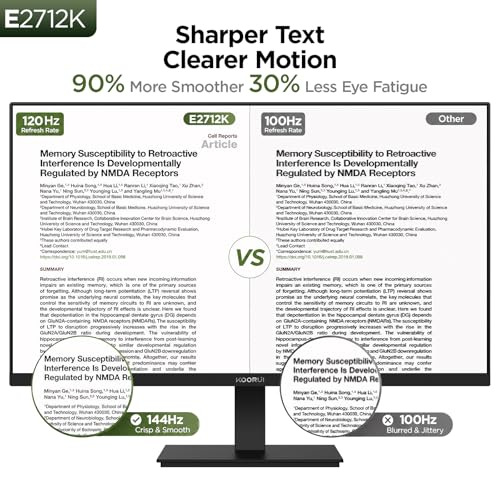
The jump from 60 to 144 hertz is the most immediately visible upgrade in display technology, and it is not only a gaming feature. Dragging a window, scrolling a long document or moving a mouse pointer all become perceptibly smoother, and going back to a 60 hertz screen afterwards feels like a fault. Getting that at this price is the reason this monitor sells.
FreeSync matches the panel refresh to the frame rate a graphics card is producing, which removes tearing without the input lag of traditional vertical sync. On a budget gaming machine that is worth more than raw frame rate, because inconsistent frame delivery is what actually looks bad. Both features work as advertised here.
The VA Panel Trade-Off
VA sits between the two panel types most people know. It delivers deeper blacks than IPS, which makes films and dark game scenes look better than the 1000:1 contrast figure suggests, and it has better viewing angles than the old TN panels that budget monitors used to ship. For a single user sitting square to the screen, it is a good choice.
What VA does badly is fast dark transitions, which show up as a faint smear behind moving objects on dark backgrounds. The quoted 5 ms response time is measured under favourable conditions, as it is on every monitor. Competitive players will notice; everyone else will not, and the contrast advantage is the better trade for mixed use.
Pixel Density at 27 Inches
Nineteen-twenty by ten-eighty across 27 inches works out to roughly 82 pixels per inch. A 24-inch 1080p screen manages 92 and a 27-inch 1440p screen manages 109. At 82 ppi, text edges are visibly soft at a normal desk distance and individual pixels are apparent on white backgrounds, which is the single thing this monitor cannot fix.
It matters differently depending on use. For gaming from three feet back, low density is barely noticeable and the extra size is pure benefit. For eight hours of documents, code or spreadsheets it is the specification that will bother you most, and a 27-inch 1440p panel costs roughly fifty percent more for a reason.
Connectivity and the Missing Ports
One HDMI input and one VGA is a thin allocation in 2026. VGA is an analogue standard that no current laptop or graphics card outputs, so in practice this is a single-input monitor, and connecting a console alongside a PC means unplugging cables or buying a switch. There is no DisplayPort and no USB hub.
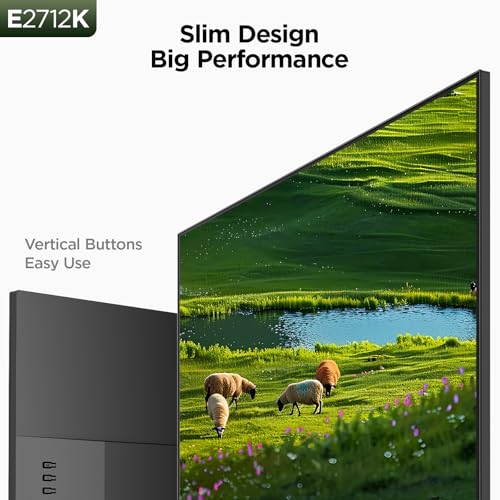
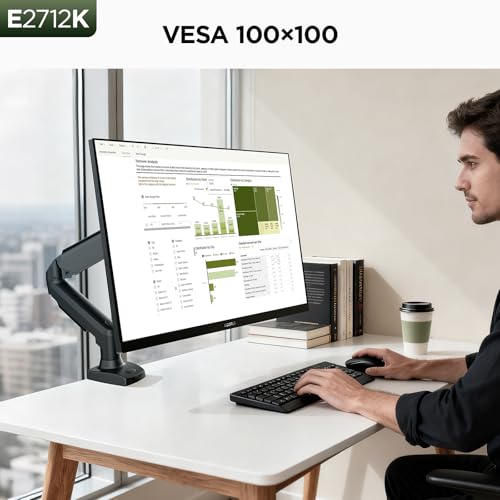
The stand is functional rather than adjustable, offering tilt only, and the monitor supports wall and arm mounting for anyone who needs height. Given that pairing a low-density 27-inch panel with a proper monitor arm is a sensible setup anyway, the basic stand is a smaller loss than the missing DisplayPort.
Limitations and Compromises
The pixel density is the honest reason this monitor takes no badge. At roughly 82 pixels per inch, text rendering is visibly softer than on a 24-inch panel of the same resolution, and anyone whose main use is reading and writing will notice within a day. It is not a defect, it is the arithmetic of stretching 1080p across 27 inches, and no setting improves it.
The HDR10 badge on a 250-nit panel is marketing rather than a feature. Meaningful high dynamic range needs a peak brightness several times that figure plus local dimming, and this monitor has neither. Enabling HDR on a display like this usually makes the image worse, and the label exists because the panel can accept the signal rather than because it can show it.
A single usable input is a real constraint. With one HDMI and one legacy VGA port, this monitor connects to exactly one modern device, and adding a console, a second laptop or a mini PC means unplugging cables. There is also no DisplayPort, which is the connection most desktop graphics cards prefer for high refresh rates.
Setup and Screen Care
Two settings are worth changing on day one. Brightness ships near maximum, which on a 250-nit panel is tolerable but tiring in a dim room, and the factory colour temperature is cool enough to look blue. Dropping brightness to roughly half in normal lighting and moving the temperature toward warm makes long sessions far more comfortable.
Clean the matte coating with a dry microfibre cloth and nothing else. Matte finishes are a textured layer rather than smooth glass, so alcohol and ammonia cleaners can haze them permanently and there is no way back. If something sticky needs removing, dampen the cloth with plain water, wring it out fully and never spray the panel directly.
Who Should Buy It?
- Budget gamers who want 144Hz and FreeSync for around $100
- Anyone upgrading from a 60Hz screen who will notice the refresh rate immediately
- Film and dark-scene viewers who benefit from VA contrast
- Second-screen use where size matters more than text sharpness
- Buyers planning to wall or arm mount rather than use the stand
Look elsewhere if you spend the day reading text, where a 24-inch 1080p or a 27-inch 1440p panel is a materially better screen for the same eyes. Look elsewhere too if you need more than one modern input, if you want a height-adjustable stand out of the box, or if you play competitively enough that VA smearing on dark backgrounds would bother you.
SoftPickr Verdict
The KOORUI 27 inch monitor earns 7.8/10. On price this is a strong piece of hardware. A 144 hertz VA panel with FreeSync at 27 inches for around $100 was a mid-range specification two years ago, and the contrast performance genuinely beats the cheap IPS panels it competes against.
The compromise is density, and it is the kind you cannot unsee. Eighty-two pixels per inch is a real step down in text quality, and combined with one usable input and an HDR label the panel cannot honour, that is why this scores well without earning a badge. As a gaming or secondary screen it is excellent value.
Price and availability change frequently on Amazon, and prices shown here may be out of date — check the current listing before ordering.
KOORUI 27 inch monitor — Frequently Asked Questions
Is 1080p acceptable on a 27-inch screen?
It depends entirely on distance and use. From three feet back while gaming it looks fine and the extra size is a real benefit. Sitting at a normal desk distance working with text all day, the roughly 82 pixels per inch makes fonts visibly soft, and a 1440p panel of the same size is a much better working screen.
Can I connect this to a modern laptop?
Yes, through the HDMI port, which is the only current input on the monitor. The second connection is VGA, an analogue standard that no recent laptop outputs, so a USB-C laptop needs an HDMI adapter and there is no DisplayPort option for graphics cards that prefer it.
Does the 144Hz refresh rate help outside gaming?
Yes, noticeably. Scrolling documents and web pages, dragging windows and simply moving the mouse pointer all look smoother than on a 60Hz screen, and most people find they cannot go back. You need a cable and graphics output capable of 144Hz at 1080p, which HDMI on any recent machine will manage.
What is the warranty on this monitor?
The listing describes a three-year warranty service in which the display screen itself is covered for one year and other accessories for three. That is an unusual split and worth reading carefully, because the panel is the expensive part and it carries the shorter of the two terms.
Ready to buy? You can check the current price of the KOORUI 27 inch monitor on Amazon — the listing shows live pricing and current stock, both of which move around more than the specification does. SoftPickr earns a commission on qualifying purchases at no extra cost to you.
Related Reviews
If the KOORUI 27 inch monitor is not quite the right fit, these SoftPickr reviews cover the closest alternatives we have reviewed:
Additional information
Specification: KOORUI E2712K 27 Inch Computer Monitor — 144Hz FHD 1080p VA Display, FreeSync, HDMI and VGA
|
Price History
| Price history for KOORUI 27 Inch Computer Monitor 144Hz FHD 1080p VA Display for Work & Play | |
|---|---|
|
Latest updates:
|
|
There are no reviews yet.