
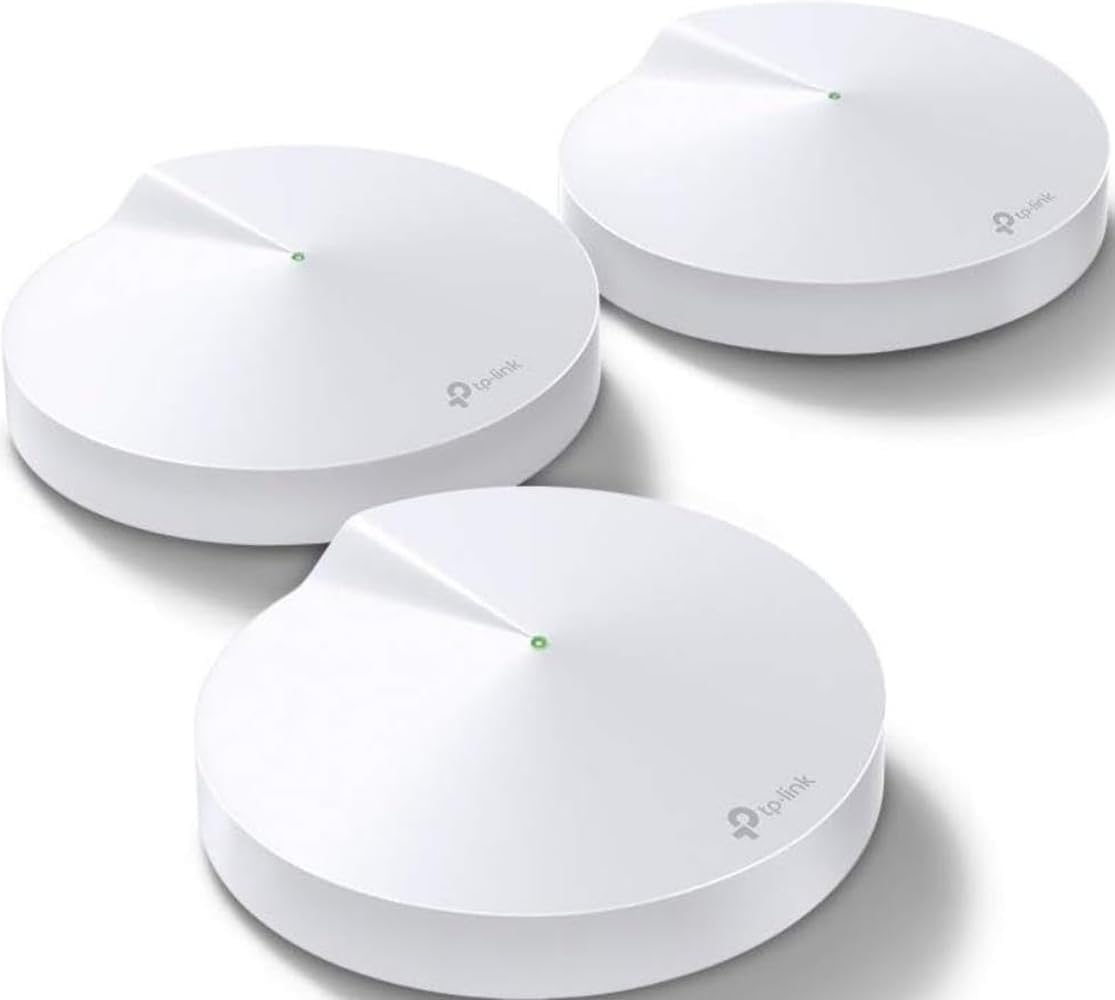



TP-Link Deco M5 Mesh WiFi System — 3-Pack, Up to 5,500 sq ft, 100+ Devices
The Deco M5 is the three-pack that put mesh networking within reach of ordinary households, and it is still on sale years later with 4.6 stars across 27,716 ratings. Three identical discs, up to 5,500 square feet of claimed coverage, 100-plus device capacity and TP-Link’s HomeCare security suite included rather than sold as a subscription. It fixes dead zones cheaply and reliably, and you are buying 802.11ac in a Wi-Fi 7 year.


| Price history for TP-Link Deco M5 Mesh WiFi System - Up to 5,500 sq. ft. Whole Home Coverage and 100+ Devices,WiFi Router/Extender Replacement, Anitivirus, 3-Pack | |
|---|---|
|
Latest updates:
|
|

$132.99
Description
TP-Link Deco M5 Review — Cheap Mesh That Still Works, With One Catch
The Deco M5 is the three-pack that put mesh networking within reach of ordinary households, and it is still on sale years later with 4.6 stars across 27,716 ratings. Three identical discs, up to 5,500 square feet of claimed coverage, 100-plus device capacity and TP-Link’s HomeCare security suite included rather than sold as a subscription.
It is also, in 2026, a Wi-Fi 5 product being sold alongside Wi-Fi 6 and Wi-Fi 7 systems, and any honest review has to lead with that rather than bury it. We looked at what the specification actually delivers, who it still suits, and the specific circumstances under which buying older wireless hardware is a sensible decision rather than a mistake.
Quick verdict: the TP-Link Deco M5 scores 8.0/10 in this SoftPickr review. It fixes dead zones cheaply and reliably, and you are buying 802.11ac in a Wi-Fi 7 year.
Table of Contents

Key Specifications
| Feature | Specification |
|---|---|
| Units in box | 3 |
| Coverage | Up to 5,500 square feet |
| Wireless standard | 802.11a/b/g/n/ac (Wi-Fi 5) |
| Frequency bands | Dual-band, 2.4 and 5 GHz |
| Aggregate data rate | 1,300 Mbps |
| Ethernet ports | 6 total, 2 per unit |
| Device capacity | 100+ |
| Security protocols | WPA-PSK, WPA2-PSK |
| Control method | TP-Link Deco app |
| Voice assistant | Amazon Alexa |
| Unit dimensions | 4.7 in L x 4.7 in W x 1.5 in H |
| Warranty | 2-year limited |
What Mesh Actually Fixes
A single router broadcasts from one point, and signal strength falls off with distance and through walls. Mesh puts three transmitters in three places and hands your device between them as you move, so the far bedroom is served by a node twenty feet away rather than by a router at the other end of the house. That is the entire proposition and it is a genuine architectural improvement.
It is worth being clear about what it does not do. Mesh does not make your internet connection faster than the line coming into the building, and if your problem is a slow broadband package rather than poor coverage, three discs will change nothing. Mesh fixes reach and roaming. Speed at the socket is your provider’s department.
Dual-Band, and What Shares the Airtime
The Deco M5 is dual-band, which means the same 2.4 and 5 GHz radios that talk to your laptop also carry traffic between the nodes. Premium mesh systems add a third radio dedicated to that backhaul so node-to-node traffic does not compete with your devices. Here it does compete, and the practical effect is that throughput drops with each hop away from the node plugged into your modem.
For most households that is invisible. Streaming, video calls, browsing and gaming all sit comfortably inside what a dual-band mesh delivers over one hop. It becomes visible if you are moving large files between machines on different nodes, or if several people are pulling high-bitrate 4K through a satellite node at once. Wiring a node back with Ethernet removes the problem entirely, and the ports are there for it.
HomeCare Included Is Genuinely Unusual
The M5 ships with TP-Link’s HomeCare suite, which bundles antivirus scanning at the network level, parental controls with per-profile time limits and content filters, and quality-of-service prioritisation. On a lot of competing hardware the equivalent features are a monthly subscription that starts after a trial, and a subscription on a router is a running cost people do not expect.
The parental controls are the part households actually use. Profiles attach to devices rather than to accounts, so a child’s tablet and laptop can share one schedule, and pausing the internet for a profile is one tap in the app. It is not a substitute for supervision and any determined teenager will find a phone hotspot, but as a blunt instrument at bedtime it works.
Setup, the App and Six Ethernet Ports
Setup runs entirely through the Deco app and is the part of this product people consistently praise. Plug the first unit into the modem, follow the prompts, then place the other two and add them one at a time. There is no web console to find, no channel planning and no firmware file to download. Someone who has never configured a network can have three nodes running in about fifteen minutes.
Each unit has two Ethernet ports, so six in total, one of which is consumed by the modem connection on the primary node. That leaves five for wired devices spread across the house, which is more than most three-packs offer. If you can run a cable to a satellite node, do it — wired backhaul turns the biggest weakness of a dual-band mesh into a non-issue.
Limitations and Compromises
It is Wi-Fi 5. The specification lists 802.11ac with an aggregate 1,300 Mbps, which was competitive when this system launched and is now two generations behind. Wi-Fi 6 brought OFDMA and better handling of many simultaneous devices, and Wi-Fi 7 brought more again. If your household runs thirty connected devices, or you have a gigabit line you actually want to use wirelessly, this hardware will be the bottleneck rather than your broadband.
The security protocols listed are WPA-PSK and WPA2-PSK, with no WPA3. WPA2 is not broken for ordinary home use and millions of networks run on it safely, but WPA3 is the current standard and it is what a new purchase in 2026 would normally include. It is worth knowing you are buying the previous generation of wireless security along with the previous generation of wireless.
Two Ethernet ports per unit is decent for a mesh system and thin next to a traditional router with four. The primary node gives up one to the modem, so a desk with a computer, a games console and a network printer will need a switch. That is a cheap fix but it is an extra box and an extra plug in a product sold on tidiness.
Placement and Maintenance
Placement does more for mesh performance than any setting in the app. Put nodes in the open at roughly waist height or above, not in a cupboard, not behind a television and not on the floor behind furniture. Space them so each one is within good signal of the last rather than pushing them to the edge of range — a chain of three strong links beats two strong and one marginal every time.
Leave automatic firmware updates on in the app, because security fixes for network hardware matter more than for almost anything else in the house. Reboot the whole set every few months, which the app can schedule. If one node starts misbehaving, remove it in the app and re-add it rather than resetting the entire system; the M5 handles single-node replacement cleanly.
Who Should Buy It?
- You have dead zones in a house of up to roughly 5,500 square feet and a single router cannot reach them.
- You want mesh at the lowest sensible price and your broadband is well under gigabit.
- You want parental controls and network antivirus without a monthly subscription.
- You want a setup a non-technical household member can complete without help.
- You can run Ethernet to at least one satellite node, which removes the dual-band penalty.
Look elsewhere if you have a gigabit or faster connection and expect to see it over Wi-Fi, because 802.11ac will not deliver it. Look elsewhere too if your household runs a large number of simultaneous devices, which is exactly the problem Wi-Fi 6 was designed to solve, or if WPA3 is on your requirements list. A Wi-Fi 6 mesh costs meaningfully more and will stay useful for meaningfully longer.
SoftPickr Verdict
The TP-Link Deco M5 earns 8.0/10. On its own terms it is very good: fast to set up, stable in daily use, genuinely effective at killing dead zones, and it includes security and parental control features that competitors charge monthly for. The 27,716 ratings at 4.6 stars are the product of years of people plugging it in and finding that it simply worked.
The compromise is generational rather than functional, and it is why this takes no badge. Buying Wi-Fi 5 hardware in 2026 is a defensible decision if your broadband is modest and your device count is low, and a poor one otherwise. Be honest with yourself about which describes your house before you order three of these.
Price and availability change frequently on Amazon, and prices shown here may be out of date — check the current listing before ordering.
TP-Link Deco M5 — Frequently Asked Questions
Is the Deco M5 fast enough for 4K streaming?
Yes, comfortably. A single 4K stream needs roughly 25 Mbps and the M5 has an aggregate 1,300 Mbps rating across both bands. Several simultaneous 4K streams through a satellite node, on top of everything else the house is doing, is where a dual-band mesh starts to show strain and a wired backhaul helps.
Do I still need my provider’s router?
You need the modem, not the router. If your provider supplied a combined modem-router, put it into bridge or modem-only mode and let the Deco handle routing, otherwise you get two networks fighting over the same job. If your provider supplied a separate modem, plug the primary Deco unit straight into it.
Can I mix the M5 with newer Deco models?
TP-Link designs Deco units to work together across models, so newer units can generally join the same network. The system will be limited by its slowest members, though, so mixing a Wi-Fi 6 unit into an M5 network does not give you Wi-Fi 6 performance across the house.
Does HomeCare cost extra?
Not on this model. The antivirus, parental controls and quality-of-service features are included with the hardware rather than sold as a subscription, which is one of the strongest arguments for the M5 at this price. Check the current terms before buying, since bundling policies do change over the life of a product.
Ready to buy? You can check the current price of the TP-Link Deco M5 on Amazon — the listing shows live pricing and current stock, both of which move around more than the specification does. SoftPickr earns a commission on qualifying purchases at no extra cost to you.
Related Reviews
If the TP-Link Deco M5 is not quite the right fit, these SoftPickr reviews cover the closest alternatives we have reviewed:
Additional information
Specification: TP-Link Deco M5 Mesh WiFi System — 3-Pack, Up to 5,500 sq ft, 100+ Devices
|
Price History
| Price history for TP-Link Deco M5 Mesh WiFi System - Up to 5,500 sq. ft. Whole Home Coverage and 100+ Devices,WiFi Router/Extender Replacement, Anitivirus, 3-Pack | |
|---|---|
|
Latest updates:
|
|
There are no reviews yet.