
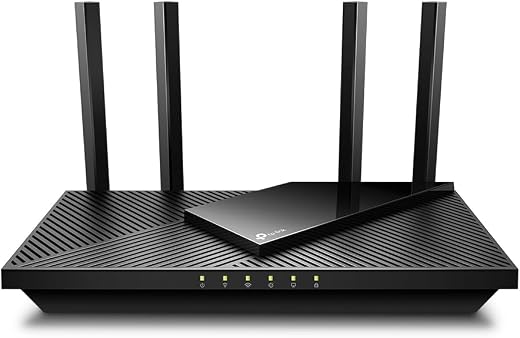

TP-Link Archer AX21 V5 AX1800 Wi-Fi 6 Router — Dual-Band, 4 Antennas, WPA3
Almost every home in America is running Wi-Fi through hardware it never chose. The router arrived in a box from the internet provider, it was plugged in by whoever set up the service, and it has been quietly throttling a house full of phones, laptops, doorbells and televisions ever since. Replacing it is the single cheapest performance upgrade available to most households, and the Archer AX21 has become the default recommendation for doing exactly that. It is the correct upgrade for a typical two-to-four-bedroom home with a fast broadband line and a lot of small devices, and the wrong purchase for anyone with a multi-gigabit connection.
Original price was: $89.99.$59.98Current price is: $59.98.
 Amazon.com
| Price history for TP-Link AX1800 WiFi 6 Router (Archer AX21 V5) | |
|---|---|
|
Latest updates:
|
|

Original price was: $89.99.$59.98Current price is: $59.98.
Description
TP-Link Archer AX21 Review — The Wi-Fi 6 Router Most Homes Actually Need
Almost every home in America is running Wi-Fi through hardware it never chose. The router arrived in a box from the internet provider, it was plugged in by whoever set up the service, and it has been quietly throttling a house full of phones, laptops, doorbells and televisions ever since. Replacing it is the single cheapest performance upgrade available to most households, and the Archer AX21 has become the default recommendation for doing exactly that.
It is not the fastest router TP-Link makes, and it is not close. What it is instead is the point on the price curve where Wi-Fi 6, WPA3 encryption and a processor fast enough to handle forty simultaneous devices all become affordable at once. We looked at what the specification sheet actually promises, where the marketing numbers stop matching reality, and which homes should spend more.
Quick verdict: the TP-Link Archer AX21 scores 8.4/10 in this SoftPickr review. It is the correct upgrade for a typical two-to-four-bedroom home with a fast broadband line and a lot of small devices, and the wrong purchase for anyone with a multi-gigabit connection.
Table of Contents
- Key Specifications
- What Wi-Fi 6 Actually Changes in a Busy House
- Range, Beamforming and the Four Antennas
- Security, Software and the Subscription Question
- Wired Ports and the Multi-Gigabit Ceiling
- Limitations and Compromises
- Setup, Firmware and Long-Term Care
- Who Should Buy It?
- SoftPickr Verdict
- Frequently Asked Questions
- Related Reviews
Key Specifications
| Feature | Specification |
|---|---|
| Model | Archer AX21 (V5) |
| Wi-Fi standard | Wi-Fi 6 (802.11ax), backward compatible to 802.11b/g/n/ac |
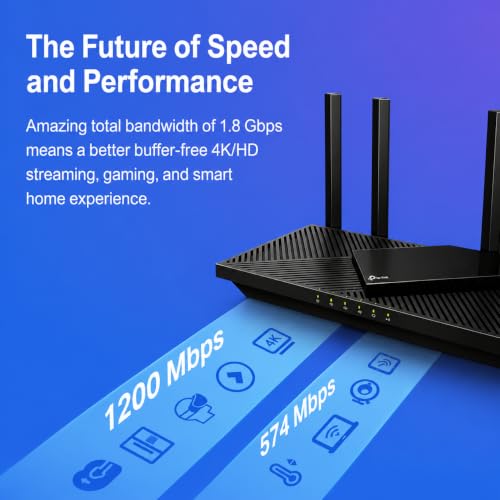
| Rated speed | AX1800 — 1,201 Mbps on 5 GHz, 574 Mbps on 2.4 GHz |
| Bands | Dual-band, 2.4 GHz and 5 GHz |
| Antennas | 4 fixed high-gain external antennas with beamforming |
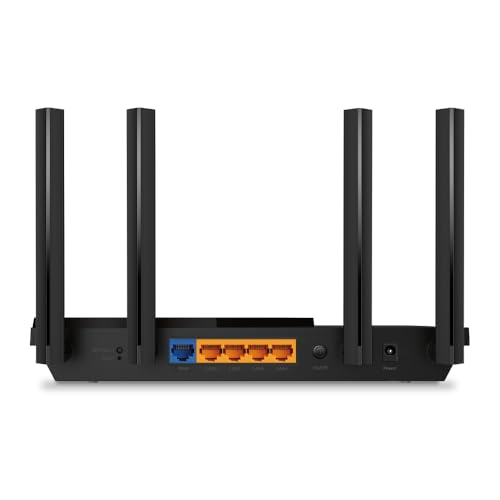
| Ports | 5 total — 1 gigabit WAN, 4 gigabit LAN |
| USB | One USB 2.0 port for storage or printer sharing |
| Security | WPA3, WPA/WPA2, WPA/WPA2-Enterprise (802.1x) |
| Management | TP-Link Tether app, web interface, Alexa voice control |
| Power | 12 V external adapter |
| Dimensions and weight | 10.28 x 5.3 x 1.61 in, 1.1 lb |
| Warranty | Manufacturer’s 2-year warranty |
What Wi-Fi 6 Actually Changes in a Busy House
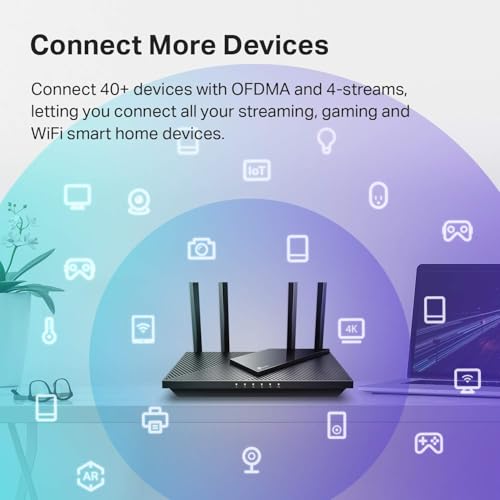
The headline number on any Wi-Fi 6 box is speed, and it is the least interesting thing about the standard. The genuine improvement is OFDMA, a scheduling change that lets the router talk to several devices inside a single transmission slot instead of serving them strictly one after another. In a house with two phones, a laptop, a tablet, a smart speaker and a video doorbell all awake at once, that is the difference between a network that feels instant and one that stutters.
The second real gain is battery life on the client side. Target Wake Time lets low-power devices agree a schedule with the router and sleep between check-ins rather than listening constantly. Nobody notices this on a laptop, but on battery-powered sensors and cameras it is measurable. Both features are present on the AX21 and both work with any Wi-Fi 6 client, which by 2026 means essentially every phone bought in the last five years.
Range, Beamforming and the Four Antennas
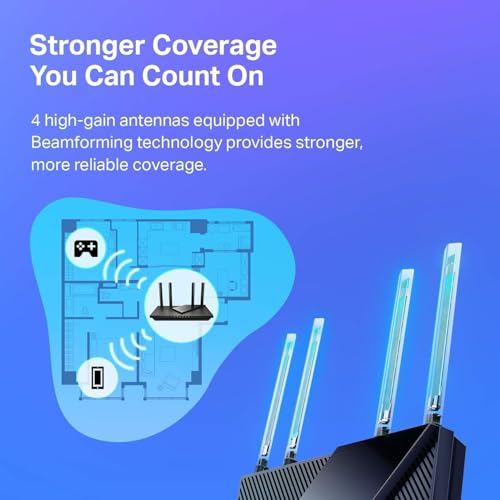
The four external antennas are fixed rather than removable, and they are the reason this router covers more ground than the plastic box most providers supply. Beamforming shapes the signal towards a device rather than radiating it evenly in all directions, which in practice means the far bedroom gets a usable 5 GHz connection instead of falling back to slow 2.4 GHz. TP-Link quotes coverage figures we would treat as optimistic, but the improvement over a provider router is real and immediate.
Coverage still obeys physics. A single router in a corner of a long house, or one placed behind a television in a media cabinet, will underperform regardless of antenna count. Central placement, elevated, away from metal and away from the microwave, is worth more than any specification on the box. Homes above roughly 2,000 square feet, or with brick or plaster interior walls, are better served by a mesh system than by any single-unit router at this price.
Security, Software and the Subscription Question
WPA3 support is the quiet reason to replace an older router. It closes the offline dictionary attack that made WPA2 passwords guessable given enough captured traffic, and it does so without any user action beyond enabling it. The AX21 also supports WPA2-Enterprise, which matters to anyone running a home office against a work authentication server. Guest networks on both bands are standard and properly isolated.
The software story is less clean. The Tether app handles setup, device lists and basic parental controls without a subscription, but TP-Link gates its more capable HomeShield security and content filtering behind a paid tier. Nothing essential sits behind that paywall, and the free feature set is genuinely usable, but buyers should know the upsell exists before they see it in the app on day one.
Wired Ports and the Multi-Gigabit Ceiling
Five gigabit ports — one WAN, four LAN — is the right count for a router at this price, and gigabit is fast enough for the overwhelming majority of American broadband plans. A desktop, a games console, a television and a network printer can all sit on cable, which takes them off the airwaves entirely and leaves more wireless capacity for everything that has no choice.
The ceiling arrives if your internet plan does. Fibre plans at 2 Gbps and above are no longer exotic, and the AX21 physically cannot carry more than about 940 Mbps from the internet into the house, no matter how fast the wireless side is rated. Anyone paying for multi-gigabit service should be shopping for a router with a 2.5 Gbps WAN port instead, and should not read the AX1800 label as a reason to think otherwise.
Limitations and Compromises
The single-band ceiling is the honest headline limitation. AX1800 means 1,201 Mbps of theoretical throughput on 5 GHz shared across every device using that band, and real-world figures land well below the label once overhead, distance and walls are accounted for. This is not a router that will saturate a fast fibre line for a single client at range; it is a router that keeps twenty devices comfortable at once.
There is no 2.5 Gbps port anywhere on the chassis, and the USB port is USB 2.0. Attaching a hard drive for network storage works, but transfer speeds are limited enough that anyone with a real media library should buy a proper NAS instead. The antennas are fixed, so there is no upgrade path to higher-gain replacements, and there is no multi-gigabit headroom to grow into if the broadband plan improves.
Finally, coverage is a single point. This is one box radiating from one place. TP-Link supports its EasyMesh standard for adding units later, which is a genuine advantage over routers with no expansion story at all, but the additional units cost money and a purpose-built mesh kit will usually do the job more elegantly in a large or awkwardly shaped house.
Setup, Firmware and Long-Term Care
Setup runs through the Tether app and takes about ten minutes including the reboot. The one step worth doing manually is checking for a firmware update immediately after installation, because units sitting in a warehouse can be a year or more behind. TP-Link has a reasonable record of shipping security patches for this model, and the update process is a single tap that reboots the router once.
Beyond that, a router is maintenance-free hardware that benefits from being left alone in a well-ventilated spot. Do not stack it under other equipment, do not put it inside a cabinet, and give the vents a wipe once or twice a year. If performance degrades noticeably over months, a factory reset and clean reconfiguration is faster than diagnosing accumulated settings, and takes about the same ten minutes as the original setup.
Who Should Buy It?
- You are still using the router your internet provider supplied and have never replaced it.
- Your home has a lot of devices rather than a few very fast ones — phones, tablets, speakers, cameras, plugs.
- Your broadband plan is 1 Gbps or slower, which covers most American households.
- You want WPA3 security and modern parental controls without paying a subscription for the basics.
- You live in a house or apartment of roughly 2,000 square feet or less on one or two floors.
Look elsewhere if your internet plan is faster than a gigabit, because the WAN port becomes the bottleneck the day you plug it in. Look elsewhere too if your home is large, long, or built with dense interior walls — a mesh system with two or three nodes will beat any single router, including this one, and no amount of antenna gain changes that. Gamers chasing the lowest possible latency on a wired connection will also want a router with quality-of-service controls this model keeps deliberately simple.
SoftPickr Verdict
The TP-Link Archer AX21 earns 8.4/10. It is the most sensible sixty-dollar upgrade in home networking, and it earns that position by being unglamorous. Wi-Fi 6 with OFDMA, four beamforming antennas, WPA3, five gigabit ports and a two-year warranty is a complete package at a price that used to buy a Wi-Fi 5 router with none of it. For the family that has never replaced the provider box, the difference is obvious within an hour.
The one compromise to accept before buying is the gigabit WAN port. It is not a flaw at this price, it is a design decision, but it means the router has no headroom if broadband gets faster. Anyone on a multi-gigabit plan, or planning to move to one, should spend more now rather than replace this in a year. Everyone else is buying the right router.
Price and availability change frequently on Amazon, and prices shown here may be out of date — check the current listing before ordering.
TP-Link Archer AX21 — Frequently Asked Questions
Does the TP-Link Archer AX21 work with any internet provider?
Yes. It replaces the router function, not the modem. If your provider supplied a combined modem-router box, you keep that unit but switch it into bridge or modem-only mode, then connect the Archer AX21 to it by Ethernet. If you have a separate modem already, the router simply plugs into it. Cable, fibre and DSL services all work this way.
Will old devices still connect to a Wi-Fi 6 router?
They will. Wi-Fi 6 is fully backward compatible, and the AX21 advertises 802.11b, g, n and ac alongside ax. A ten-year-old laptop or a smart plug that only speaks 2.4 GHz will join the network exactly as it did before. Those devices simply will not benefit from the newer features, and they continue to consume airtime the way they always have.
Is the paid HomeShield subscription necessary?
No. Setup, device management, guest networks, WPA3, basic parental controls and QoS all work without paying anything. HomeShield adds deeper content filtering, time limits per family member and network threat reporting. Those are genuinely useful in a house with young children, but nothing about the router stops working if you never subscribe, and most buyers do not.
Can the Archer AX21 be extended into a mesh network later?
Yes, through TP-Link EasyMesh. A second compatible TP-Link unit can join and share the same network name, so devices roam between them without reconnecting manually. It works, and it is cheaper than replacing the router outright. It is still less seamless than a purpose-built mesh kit bought as a matched set, so treat it as a rescue plan rather than the intended design.
Ready to buy? You can check the current price of the TP-Link Archer AX21 on Amazon — the listing shows live pricing and current stock, both of which move around more than the specification does. SoftPickr earns a commission on qualifying purchases at no extra cost to you.
Related Reviews
If the TP-Link Archer AX21 is not quite the right fit, these SoftPickr reviews cover the closest alternatives we have tested:
Additional information
Specification: TP-Link Archer AX21 V5 AX1800 Wi-Fi 6 Router — Dual-Band, 4 Antennas, WPA3
|
Price History
| Price history for TP-Link AX1800 WiFi 6 Router (Archer AX21 V5) | |
|---|---|
|
Latest updates:
|
|

There are no reviews yet.