
DYMO LabelManager 160 Review — Best Handheld Label Maker in 2026?
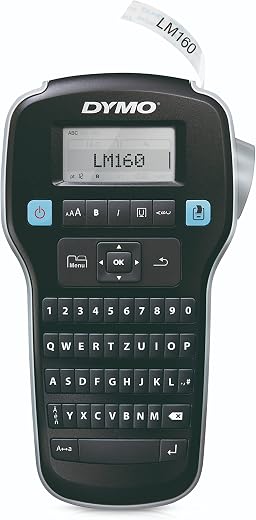
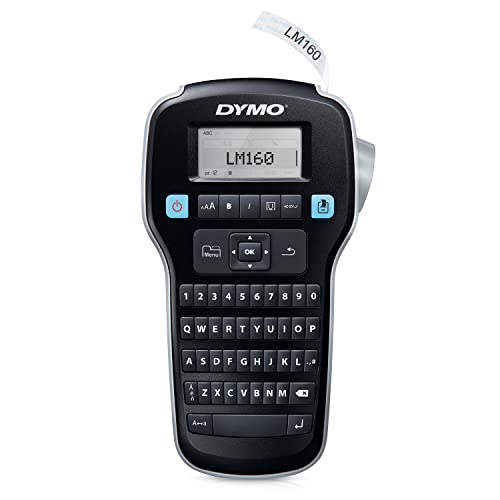
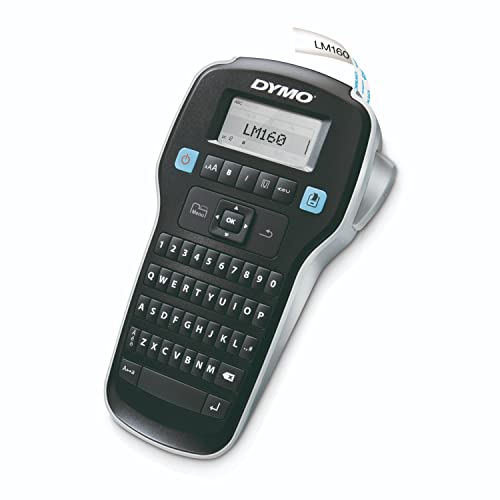
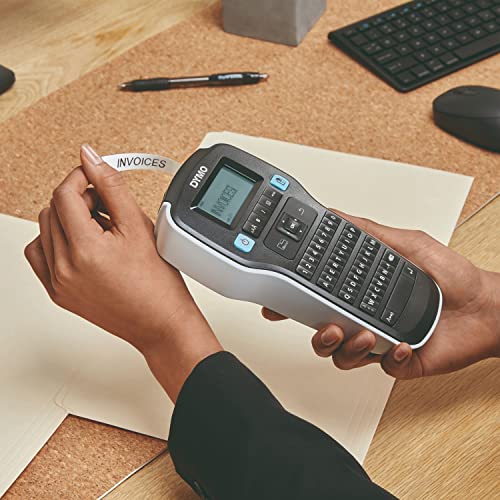
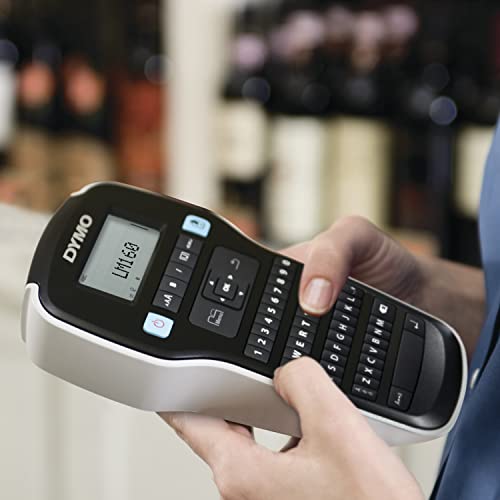
The DYMO LabelManager 160 is a handheld thermal-transfer label maker with a QWERTY keyboard, a large display, one-touch formatting keys and support for DYMO D1 tape in 6 mm, 9 mm and 12 mm widths. It has been on sale for well over a decade, it has accumulated close to 24,000 Amazon ratings at 4.6 stars, and it remains the machine most people end up with when they go looking for a label maker. It is the safest label maker to buy precisely because it depends on nothing, and the tape and batteries are the only real costs.
| Price history for DYMO Label Maker LabelManager 160 Portable Label Maker, Easy-to-Use, One-Touch Smart Keys, QWERTY Keyboard, Large Display, for Home & Office Organization, Black | |
|---|---|
|
Latest updates:
|
|

$44.99
Description
DYMO LabelManager 160 Review (2026) — Why the QWERTY Keyboard Still Wins
The DYMO LabelManager 160 is a handheld thermal-transfer label maker with a QWERTY keyboard, a large display, one-touch formatting keys and support for DYMO D1 tape in 6 mm, 9 mm and 12 mm widths. It has been on sale for well over a decade, it has accumulated close to 24,000 Amazon ratings at 4.6 stars, and it remains the machine most people end up with when they go looking for a label maker.
We reviewed it because longevity in this category is itself a finding. Label makers are a market full of app-driven Bluetooth devices that print from a phone and stop working when the app is abandoned. The 160 is the opposite proposition: a self-contained keyboard device with no account, no pairing, and no dependency on anything that can be discontinued. The question is whether that still holds up when a phone-connected model costs the same.
Quick verdict: the DYMO LabelManager 160 scores 8.6/10 in this SoftPickr review. It is the safest label maker to buy precisely because it depends on nothing, and the tape and batteries are the only real costs.
Table of Contents

Key Specifications
| Feature | Specification |
|---|---|
| Brand | DYMO |
| Model | LabelManager 160 |
| Keyboard | QWERTY, computer-style layout |
| Display | Large LCD with print preview |
| Formatting | 20+ text formatting options |
| Symbols | 200+ symbols and clip art |
| Tape | DYMO D1 in 1/4 in, 3/8 in and 1/2 in (6, 9, 12 mm) |
| Print Technology | Thermal transfer |
| Power | Battery powered with automatic switch-off |
| Connectivity | None — fully standalone, no app or USB |
| Amazon Rating | 4.6 / 5 from roughly 23,967 ratings |
| Price at Review | $44.99 |
QWERTY Versus ABC Is Not a Small Difference
DYMO sells two families of handheld label maker: the LetraTag line with an alphabetical ABC keyboard, and the LabelManager line with QWERTY. They look similar and cost similar amounts, and the keyboard layout is the single thing that determines whether you enjoy using one.
Nobody has typed on an alphabetical keyboard since primary school. Every muscle memory an adult has is QWERTY, and hunting for letters in alphabetical order is slow in a way that is disproportionately annoying for a device you use to type short strings. Labelling thirty pantry containers on an ABC keyboard is a chore; on the 160 it is a few minutes of ordinary typing.
This is most of the reason the LabelManager 160 outsells its ABC siblings by a wide margin despite being the older design. It is not a better printer. It is a better keyboard, and on a device that is essentially a keyboard with a printer attached, that is what counts.
D1 Tape Is the Long-Term Argument
The 160 uses DYMO D1 cassettes — a laminated tape standard that has been in production for decades and is stocked by every office supplier, supermarket and online retailer. That availability is a feature in itself. A label maker whose tape you can buy in five minutes at three different shops is a machine you will still be using in ten years.
D1 is also a genuinely good tape. It is laminated, which means the printed layer is sandwiched rather than exposed, so labels survive being handled, wiped, and put in a freezer or a bathroom without the text rubbing off. Cheaper unlaminated tapes on budget machines fade and smear within a year in exactly those places.
The widths cover the actual use cases. 6 mm for cable flags and small drawer fronts, 9 mm for the general case, 12 mm when the label needs to be read from across a garage. There is no thermal-paper option, which is the right call — thermal paper darkens with heat and light, and a label that is illegible in three years defeats the point of labelling.
Standalone, With No Account and No App
A meaningful share of new label makers print from a phone over Bluetooth. They can do more — longer text, custom fonts, barcodes, imported logos — and they carry a risk that keyboard devices do not: the app.
When an app stops being maintained, or falls foul of a new OS release, or moves features behind a subscription, the hardware becomes decorative. This has already happened to several label-printer brands, and the affected devices are otherwise perfectly functional machines that no longer print. The 160 cannot fail that way, because it has nothing to depend on.
The trade is that it is limited to what fits on its own screen and keys. No logos, no barcodes, no library of saved labels synced anywhere. For pantry jars, cable runs, file folders, school kit and storage boxes — which is what the overwhelming majority of buyers use it for — that limitation is invisible.
Limitations and Compromises
It runs on AAA batteries and it goes through them, especially on 12 mm tape where the print head has more work to do. There is no built-in rechargeable pack and no USB-C. An optional mains adapter exists but is sold separately, and rechargeable AAAs are the sensible default.
D1 tape is not cheap. Cassettes run several dollars each and hold a limited length, so a large labelling project costs meaningfully more in consumables than the machine itself. This is the standard razor-and-blades arrangement and it is worth budgeting for.
There is no computer or phone connection at all. If you need barcodes, a company logo, or to print the same label fifty times from a spreadsheet, this is the wrong machine.
The cutter is manual and slightly stiff. It works reliably but it is a small lever you press rather than an automatic cut, and after thirty labels your thumb notices.
The design is old, and it looks it. Function over form, with a chunky body and a monochrome LCD that would not have been out of place in 2010.
Cleaning, Maintenance, or Setup
Setup is fitting batteries and dropping in a D1 cassette. The cassette only goes in one way and clicks; if it does not click, it is not seated, and the machine will feed blank tape rather than print.
Use rechargeable AAAs from the start. The saving pays for itself within a few tape cassettes, and the machine holds a usable print density on NiMH cells better than most battery devices.
If print quality goes patchy, the head needs cleaning. A cotton bud with a little isopropyl alcohol on the thermal head, left to dry fully before refitting a cassette, resolves nearly every case of faded or streaky output. Never use water.
Take the batteries out if it is going in a drawer for a season. Leaked cells in the compartment are the most common way an otherwise immortal label maker dies, and this is a device that spends most of its life in a drawer between bursts of use.
Who Should Buy It?
- Anyone organising a pantry, freezer, garage or filing system in one concentrated push
- People who want a device that will still work in ten years with no app dependency
- Households that already own D1 tape from an older DYMO machine
- Anyone who has used an ABC-keyboard label maker and found it maddening
- Home offices, classrooms and workshops where several people share one device with no accounts involved
Look elsewhere if you need barcodes, logos, custom fonts or bulk printing from a spreadsheet — that is phone-connected or desktop label printer territory and no keyboard handheld will do it. It is also the wrong choice if you will label six things and never touch it again, in which case a marker pen and masking tape genuinely wins, and if you object on principle to buying proprietary tape cassettes forever.
SoftPickr Verdict
The DYMO LabelManager 160 earns 8.6/10. Very few products stay at the top of their category for over a decade without being repeatedly redesigned. This one has, and the reasons are unglamorous: a QWERTY keyboard that makes typing fast, a laminated tape standard you can buy anywhere, and no dependency on an app, an account or a cloud service that can be withdrawn. Nearly 24,000 ratings at 4.6 stars is not marketing — it is a very long tail of people who bought it and did not regret it.
The one compromise is running cost. Batteries and D1 cassettes are ongoing expenses, and a large project will spend more on tape than on the machine. Accept that as the price of a device that prints laminated labels which survive freezers and bathrooms, and it remains the default recommendation in this category.
Price and availability change frequently on Amazon, and prices shown here may be out of date — check the current listing before ordering.
DYMO LabelManager 160 — Frequently Asked Questions
What tape does the DYMO LabelManager 160 use?
DYMO D1 cassettes in 6 mm, 9 mm and 12 mm widths. D1 is laminated, so the printed layer is protected and labels survive freezers, bathrooms and repeated handling without smearing. It is stocked almost everywhere, which is one of the better long-term arguments for the DYMO LabelManager 160 over less common label standards.
Does it connect to a phone or computer?
No, and that is deliberate. It is entirely standalone with no app, no Bluetooth and no USB. The upside is that it cannot be broken by an abandoned app or an OS update, which has already killed several app-dependent label printers. The downside is no barcodes, no logos and no bulk printing from a spreadsheet.
Is the QWERTY keyboard actually better than the ABC one?
For most adults, noticeably. Every typing habit you have is QWERTY, so labelling thirty containers takes a few minutes rather than feeling like a chore. DYMO sells ABC-keyboard models in the LetraTag range at similar prices, and the keyboard layout is the main practical difference between the two families.
How long do the batteries last?
It depends heavily on tape width — 12 mm printing draws considerably more than 6 mm. Expect a set of AAAs to cover a decent labelling session rather than months of standby, and use rechargeable NiMH cells, which pay for themselves quickly. There is an optional mains adapter, but it is sold separately.
Ready to buy? You can check the current price of the DYMO LabelManager 160 on Amazon — the listing shows live pricing and current stock, both of which move around more than the specification does. SoftPickr earns a commission on qualifying purchases at no extra cost to you.
Related Reviews
If the DYMO LabelManager 160 is not quite the right fit, these SoftPickr reviews cover the closest alternatives we have tested:
Additional information
Specification: DYMO LabelManager 160 Review — Best Handheld Label Maker in 2026?
|
Price History
| Price history for DYMO Label Maker LabelManager 160 Portable Label Maker, Easy-to-Use, One-Touch Smart Keys, QWERTY Keyboard, Large Display, for Home & Office Organization, Black | |
|---|---|
|
Latest updates:
|
|


There are no reviews yet.