
Rocketbook Core Reusable Notebook Review — Best Smart Notebook?
The Rocketbook Core pairs 32 wipe-clean synthetic pages with an app that routes each scanned page to a different cloud destination based on a symbol you tick at the foot of the sheet, and names the file from your own handwriting. The 2024 revision writes noticeably better than the old Everlast, and the Frixion pen is included. The limits are capacity and discipline: 32 pages means constant scanning, wiping before scanning loses the note, and heat above about 60C erases ink you have not captured yet.

$26.99
Description
Rocketbook Core Review (2026) — Is a Reusable Smart Notebook Worth $27?
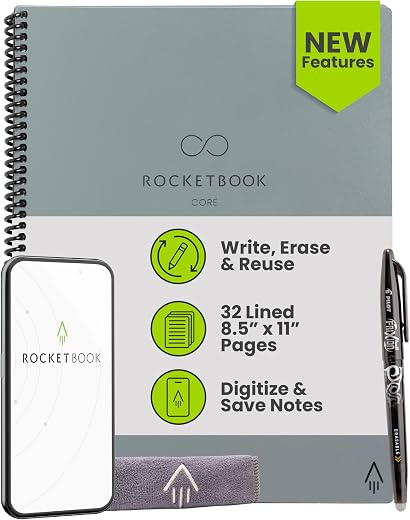
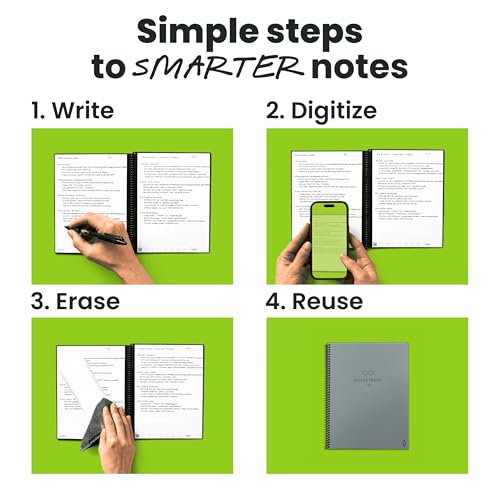
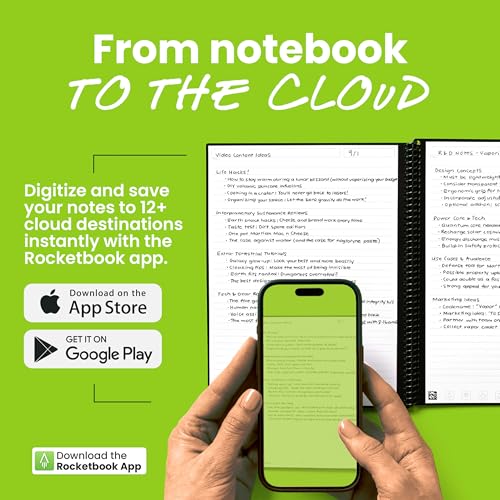
The Rocketbook Core is a spiral-bound notebook whose 32 pages are made of a synthetic, wipe-clean sheet rather than paper. You write on it with a Pilot Frixion pen, photograph the page with the Rocketbook app, and the app deskews it, cleans it up and files it to Google Drive, Dropbox, OneNote, Evernote or email. Then you wipe the page with a damp cloth and the sheet is blank again.
We reviewed it because the reusable-notebook category is full of imitations and the differences are not obvious from a listing photo. The Rocketbook Core’s real strength is the software: the QR-coded destination icons at the foot of each page mean a scan goes where it belongs automatically, and Smart Titles and Smart Tags let you name and organise files in your own handwriting. Its main compromise is the page count. Thirty-two pages is not a lot, and the whole system depends on you actually scanning before you wipe.
Quick verdict: the Rocketbook Core scores 8.5/10 in this SoftPickr review. It is the best-executed reusable notebook system, provided the erase-and-rescan habit suits how you work.
Table of Contents

Key Specifications
| Feature | Specification |
|---|---|
| Brand | Rocketbook |
| Model | Core (formerly Everlast), 2024 revision |
| Size Reviewed | Letter, 8.5 x 11 in |
| Pages | 32 (16 sheets, double-sided) |
| Ruling | College-ruled lined; dot-grid and other styles also sold |
| Colour | Gray |
| Binding | Spiral |
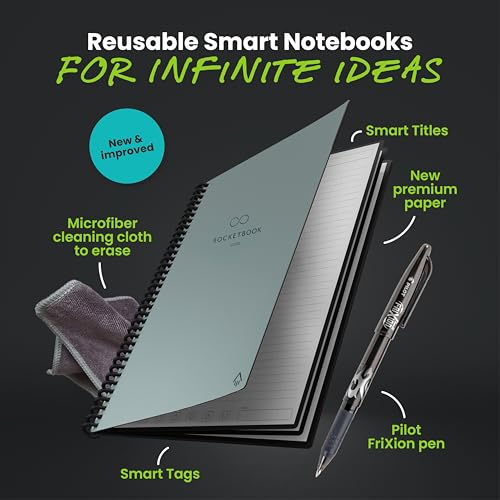
| Cover | Scratch-resistant, redesigned |
| Included Pen | Pilot Frixion |
| Erasing | Damp cloth |
| App Destinations | Google Drive, Dropbox, OneNote, Evernote, Slack, email and more |
| Organisation | Smart Titles and Smart Tags |
| Weight | 8.8 oz |
| Amazon Rating | 4.5 / 5 |
The App Is the Product
It is easy to look at a Rocketbook and conclude the clever part is the erasable page. It is not. Wipe-clean synthetic sheets have existed for years and on their own they are a novelty. What makes the Rocketbook Core a system is the row of seven symbols printed at the bottom of every page.
You tick a symbol, and the app — which reads the QR code in the page corner along with your ticks — sends that page to whichever destination you assigned to that symbol. Rocket to Google Drive, diamond to Dropbox, bell to a specific email address. Scanning a stack of pages files each one differently in a single pass, without you touching a menu.
Smart Titles extend this. Write a title on the designated line, and the app runs handwriting recognition on just that line to name the file. Smart Tags do the same for keywords, so a scanned page arrives named and tagged rather than as IMG_4471. In practice this is the difference between a searchable archive and a folder full of photographs of paper.
Writing Feel and the Frixion Dependency
The 2024 revision improved the pen-to-paper feel, and it is noticeably better than the older Everlast sheets — less skate, more resistance, closer to writing on coated stock than on plastic. It is still not paper, and anyone who writes with a fountain pen will find the whole proposition wrong from the first stroke.
The system only works with Pilot Frixion ink, which is thermochromic: it becomes clear above roughly 60°C, which is also how the pen’s own eraser works. One Frixion pen is included and refills are cheap and available everywhere, but you are locked to that ink family.
The thermochromic property has a real consequence. A Rocketbook left on a car dashboard in summer, or near a radiator, can erase itself. That is not a hypothetical failure mode, and it is the strongest argument for scanning promptly rather than treating the notebook as an archive.
Drying Time and the 15-Second Rule
Frixion ink needs about fifteen seconds to set on this surface. Close the notebook immediately after writing and the facing page will pick up a ghost of what you just wrote. It is not permanent — it wipes off — but it is the most common first-week complaint and it is entirely avoidable once you know.
Similarly, ink that sits on the page for weeks becomes harder to remove with a plain damp cloth and may need the Rocketbook spray or a spot of soapy water. Pages wiped regularly stay pristine; pages left written on for a month can retain faint shadows.
Limitations and Compromises
Thirty-two pages is the central constraint. If you take notes in volume — a full day of meetings, a semester of lectures — you will be scanning and wiping continuously rather than flipping to a fresh page. Rocketbook sells a Multi-Subject version with 70 pages for people who need more, and the Core’s page count is clearly a deliberate product-line decision rather than a technical limit.
The workflow only works if you scan. Wipe a page before scanning it and the note is simply gone. That is a behavioural requirement, not a bug, but it makes this a bad fit for anyone whose relationship with their notebook is ‘write it down and find it again three months later by flipping’.
Heat erases it. Frixion ink clears above roughly 60°C, so a hot car, a radiator or direct summer sun through a window can wipe a page you had not yet scanned.
At $27 for 32 reusable pages, the value case depends entirely on use. Used daily for a year it is very cheap; used occasionally it is an expensive notebook.
Cleaning, Maintenance, or Setup
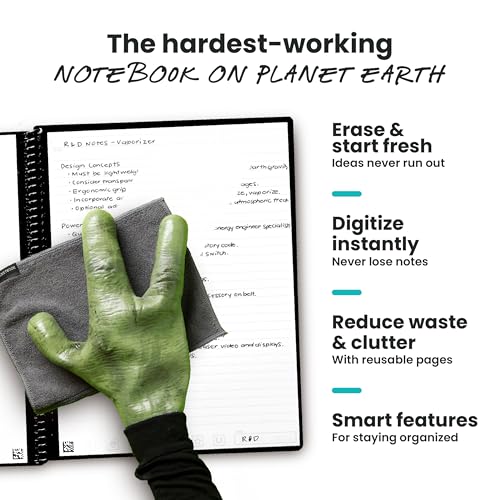
Erasing is a damp microfibre cloth and nothing more — the notebook ships with one. Wipe in one direction rather than scrubbing in circles, and let the sheet dry fully before writing again, because Frixion on a damp surface beads rather than flowing.
For pages that have been written on for a long time, a spot of dish soap on the cloth lifts what water alone leaves behind. Do not use abrasive cleaners or alcohol wipes; both dull the coating that gives the sheet its writing feel.
Setup takes about five minutes: install the app, assign a destination to each of the seven symbols, and connect the cloud accounts you want. Do this once and the rest is automatic. It is worth assigning at least one symbol to plain email, which is the most reliable destination when a cloud connection misbehaves.
Store it out of direct sun and out of hot cars. That single habit prevents the only genuinely destructive failure this notebook has.
Who Should Buy It?
- Students and professionals who think best on paper but need their notes searchable and backed up
- Anyone who already photographs pages into Drive or Notion and wants that to stop being a manual chore
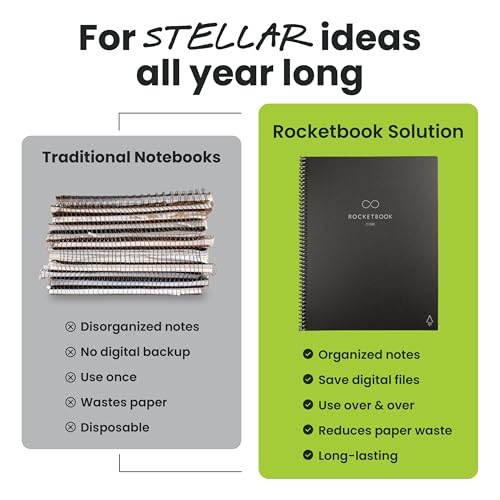
- People who fill and discard cheap notebooks and dislike the waste
- Meeting-heavy workers who want per-project routing — one symbol per client or per team
- Anyone who liked the older Everlast but found the writing feel too slippery; the 2024 revision fixes much of that
Look elsewhere if you want an archive rather than a pipeline. A reusable notebook is designed to be emptied, and if the value of your notebook is that last year’s pages are still in it, this is the wrong tool — a conventional paper notebook is cheaper and keeps everything. Heavy note-takers should also consider the Multi-Subject version with 70 pages, or a tablet and stylus if the real goal is digital-first rather than paper-first.
SoftPickr Verdict
The Rocketbook Core earns 8.5/10. The reusable page is the part people notice, but the app is what makes it work: symbol-based routing, handwriting-recognised titles and tags, and a scan that lands in the right cloud folder without a single tap. The 2024 revision’s writing feel is a real improvement, and the included Frixion pen means nothing else to buy.
The one compromise is capacity paired with discipline. Thirty-two pages means constant scanning and wiping, and the whole system falls apart the moment you erase something you had not captured. If that rhythm fits how you work, this is the best executed notebook in the category.
Price and availability change frequently on Amazon, and prices shown here may be out of date — check the current listing before ordering.
Rocketbook Core — Frequently Asked Questions
How many pages does the Rocketbook Core have?
Thirty-two, which is 16 double-sided sheets. That is the main practical limit of the Rocketbook Core: heavy note-takers will be scanning and wiping continuously rather than turning to a fresh page. Rocketbook sells a 70-page Multi-Subject version for people who need more capacity.
What pen do you use with the Rocketbook Core?
A Pilot Frixion, and one is included in the box. Frixion ink is thermochromic, which is what allows a damp cloth to wipe the synthetic page clean. No other pen family works properly on the surface, but Frixion refills are inexpensive and sold in most stationery shops.
Can the Rocketbook Core erase itself accidentally?
Yes, through heat. Frixion ink turns clear above roughly 60C, so a notebook left on a car dashboard in summer or against a radiator can lose pages you have not yet scanned. Storing it out of direct sun and scanning promptly removes the risk entirely.
Do you need the app to use it?
Not to write, but the app is where most of the value sits. It deskews and cleans each photographed page, then routes it to Google Drive, Dropbox, OneNote, Evernote, Slack or email based on which of the seven symbols you ticked, and uses Smart Titles to name the file from your handwriting. Without it you have a wipe-clean notepad.
Ready to buy? You can check the current price of the Rocketbook Core on Amazon — the listing shows live pricing and current stock, both of which move around more than the specification does. SoftPickr earns a commission on qualifying purchases at no extra cost to you.
Related Reviews
If the Rocketbook Core is not quite the right fit, these SoftPickr reviews cover the closest alternatives we have tested:
Additional information
Specification: Rocketbook Core Reusable Notebook Review — Best Smart Notebook?
|
There are no reviews yet.