
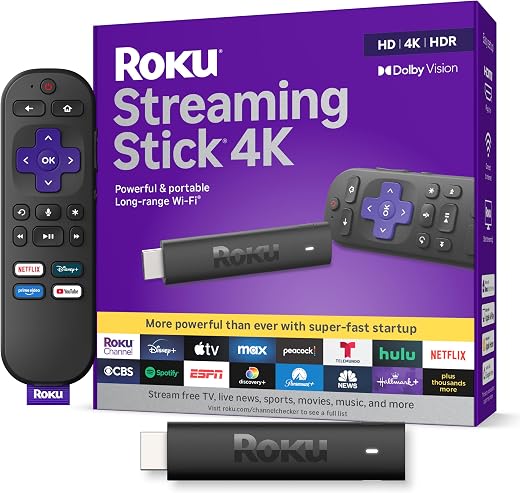
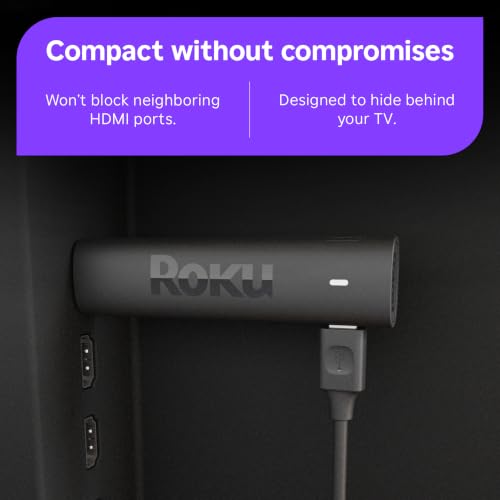

Roku Streaming Stick 4K — Dolby Vision, HDR10+, Voice Remote
Almost every television sold in the last five years already runs some kind of streaming software, and almost all of it gets slower, uglier and less supported the moment the warranty expires. A thirty-dollar-ish stick that plugs into a spare HDMI port is the cheapest way to make an ageing panel behave like a new one, and for most of a decade the default recommendation in that slot has been the same product. It is the least exciting streaming device you can buy and, for the overwhelming majority of televisions, still the correct one.
Original price was: $68.94.$43.09Current price is: $43.09.
 Amazon.com
| Price history for Roku Streaming Stick 4K with Voice Remote - HDR10+ & Dolby Vision | |
|---|---|
|
Latest updates:
|
|

Original price was: $68.94.$43.09Current price is: $43.09.
Description
Roku Streaming Stick 4K Review: The Boring Answer Is Still The Right One
Almost every television sold in the last five years already runs some kind of streaming software, and almost all of it gets slower, uglier and less supported the moment the warranty expires. A thirty-dollar-ish stick that plugs into a spare HDMI port is the cheapest way to make an ageing panel behave like a new one, and for most of a decade the default recommendation in that slot has been the same product.
The Roku Streaming Stick 4K carries 4.7 stars across 98,884 Amazon ratings, which is the largest and highest-rated evidence base SoftPickr has reviewed against on any streaming device. That is not a small number, and it is worth understanding what it is actually rewarding before you spend the money.
Quick verdict: the Roku Streaming Stick 4K scores 8.7/10 in this SoftPickr review. it is the least exciting streaming device you can buy and, for the overwhelming majority of televisions, still the correct one.
Table of Contents
Key Specifications
| Feature | Specification |
|---|---|
| Model | Roku Streaming Stick 4K (2021 generation) |
| Maximum resolution | 4K UHD, up to 2160p at 60fps |
| HDR formats | Dolby Vision, HDR10, HDR10+ |
| Video codecs | H.264/AVC, H.265/HEVC, AV1, VP9 |
| Wireless | Dual-band Wi-Fi with long-range receiver |
| Connector | HDMI, powered by USB cable |
| Remote | Roku Voice Remote with TV power and volume control |
| RAM | 1 GB |
| Dimensions | 3.7 x 0.8 x 0.45 in |
| Weight | 25.5 g |
| In the box | Stick, voice remote, two AAA batteries, USB power cable, power adaptor |
| Warranty | Roku limited warranty on streaming players |
Picture Quality and HDR Support
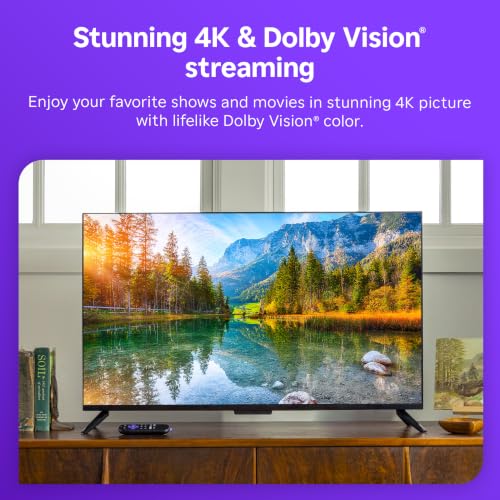
The specification that matters most here is that a single sub-fifty-dollar stick decodes Dolby Vision, HDR10 and HDR10+. Those are three competing high-dynamic-range standards, and cheaper streaming hardware usually picks one and ignores the rest. If your television supports Dolby Vision and your streaming box does not, you silently watch the plain HDR10 version of everything and never find out.
AV1 decoding is the other quietly important line. Netflix and YouTube are both shifting to AV1 because it delivers the same picture at a lower bitrate, and hardware without an AV1 decoder falls back to older codecs at higher data rates. On a home connection that fluctuates in the evening, that is the difference between a clean 4K stream and one that drops to 1080p during the good bit.
The Remote Is The Actual Product
The Roku voice remote does something the remote in your sofa probably does not: it turns the television on, changes its volume, and switches nothing else. There are no shortcut buttons for services you do not use, no separate box remote to keep alongside the television remote, and no learning curve for anyone who has to use the room without you there to explain it.
Voice search works across services rather than inside one, so asking for a film returns where it is streaming rather than a list of the same title on the app you happen to have open. It is not clever, and cleverness is not what a remote is for. Two pre-installed AAA batteries last months, which is a deliberately unglamorous choice over a rechargeable remote you have to remember to charge.
Speed, Wi-Fi and Everyday Use
The long-range Wi-Fi receiver is built into the stick rather than bolted on as a dongle, and it is the single upgrade most people actually feel. Televisions are usually mounted against a wall on the far side of a house from the router, which is the worst possible position for a small antenna, and this generation holds a usable connection where the television own tuner-side wireless gives up.
With 1 GB of RAM this is not a fast device by tablet standards, but streaming is not a demanding workload. Apps open in a couple of seconds, the interface never stutters, and the stick draws its power from a USB cable rather than a wall socket, so it wakes with the television instead of needing its own switch.
Roku OS and App Coverage
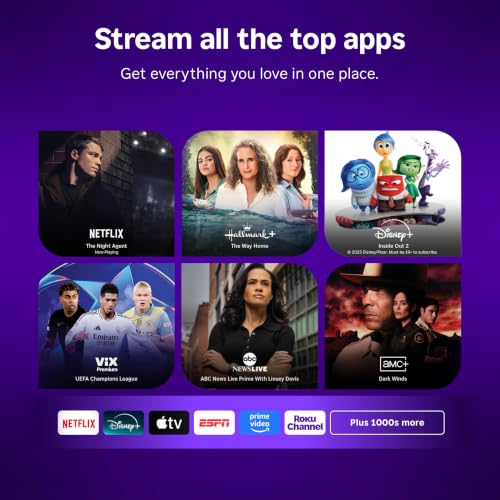
The Roku channel store carries essentially everything with a US streaming presence: Netflix, Prime Video, Disney+, Hulu, Max, Paramount+, Peacock, Apple TV+, YouTube, Pandora and the long tail of free ad-supported channels. This is the practical reason the platform survives against hardware with better silicon, because a faster box that is missing one service you pay for is worse than a slower box that is missing none.
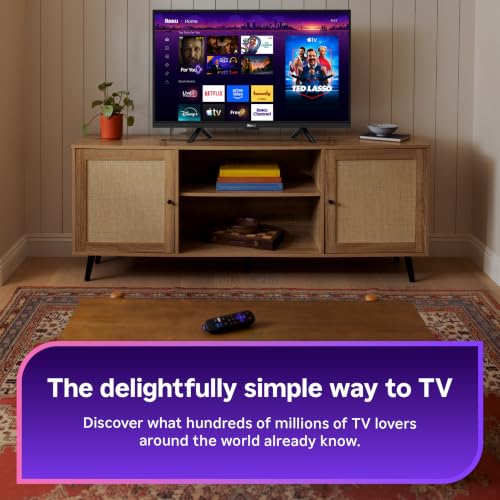
The operating system is also genuinely simple. It is a grid of apps, a settings menu and a search box, with no feed to scroll and no recommendations engine trying to reroute you into content the platform owns. For a household where more than one person has to operate the television, that plainness is a feature.
Limitations and Compromises
The home screen carries paid placement. A large banner tile on the right of the grid is advertising, and Roku sells it, which means a device you bought outright is still showing you promotions in 2026. It cannot be turned off. It is the honest cost of the low purchase price and it deserves stating plainly rather than being buried in a pros list.
This is Wi-Fi 5 hardware. There is no Wi-Fi 6, no Wi-Fi 6E and no Ethernet port, so on a congested network in a flat with thirty neighbouring access points you are competing for the same crowded channels. The long-range antenna mitigates distance, not congestion. If your streaming stutters because of interference rather than range, this will not fix it, and the wired Roku Ultra is the answer instead.
The Amazon listing reports 16 GB of storage and an external testing certification field that reads in Portuguese, neither of which describes this product accurately. Roku does not publish a 16 GB figure for this stick and the certification field is template leakage from another listing. Read the marketing copy, not the specification table, on this particular page.
Setup and Maintenance
Setup is a genuinely ten-minute job: plug the stick into a free HDMI port, run the USB power cable to a USB socket on the television or the supplied adaptor, pair the remote and sign in. Powering from the television USB port rather than the wall is worth doing, because the stick then sleeps and wakes with the panel instead of staying warm all day.
The one maintenance habit worth keeping is letting it update. Roku pushes system updates quietly and older sticks that have been unplugged for months come back slow until they catch up. If the device lives on a television used a few times a year, switch it on for twenty minutes before you actually need it rather than fighting an update mid-film.
Who Should Buy It?
- Anyone with a 4K television more than three years old whose built-in apps have become slow or have lost support
- Households where several people of different ages and confidence levels use the same television
- Anyone who wants Dolby Vision and HDR10+ from one device rather than choosing a camp
- People whose television is mounted far from the router and who need the long-range receiver
- Anyone replacing a lost or broken streaming remote, since the voice remote also runs television power and volume
Look elsewhere if your network problem is congestion rather than distance, because there is no Ethernet port and no Wi-Fi 6 here; the Roku Ultra solves that and this cannot. Skip it too if you are deep in the Apple ecosystem and want AirPlay-first behaviour and a faster interface, or if paid placement on a home screen you own is something you will resent every day rather than ignore.
SoftPickr Verdict
The Roku Streaming Stick 4K earns 8.7/10. It is the most-owned streaming stick in America for a reason that is not marketing: it does the whole job for under fifty dollars, supports all three HDR standards rather than one, decodes AV1, and gives you a remote that also runs the television. Nearly 99,000 ratings at 4.7 stars is the kind of consensus that only forms around a product people stop thinking about after installation.
The one compromise is the advertising on the home screen, and it is a real one. Roku subsidises the hardware price with placement, and that is a trade you should make knowingly rather than discover. If it will bother you every time you switch on, buy something else; if you will look straight past it at the app you want, this is the correct purchase and has been for years.
Price and availability change frequently on Amazon, and prices shown here may be out of date — check the current listing before ordering.
Roku Streaming Stick 4K — Frequently Asked Questions
Does the Roku Streaming Stick 4K work with a 1080p television?
Yes. It downscales cleanly and the interface, remote and app coverage are identical, so it is a sensible upgrade for an older HD panel with slow built-in software. You simply will not use the 4K, Dolby Vision or HDR10+ capability, which means the cheaper Roku Streaming Stick HD may be the better buy unless you plan to replace the television soon.
Do I need a Roku subscription?
No. The device and Roku OS cost nothing to use, and the free ad-supported Roku Channel is included. You still pay separately for Netflix, Disney+, Max and anything else you subscribe to, exactly as you would on the television built-in apps. There is no platform fee and no account tier that unlocks features on the hardware.
Can I use it without Wi-Fi or with an Ethernet cable?
No to both. This model is wireless only, with no Ethernet port and no USB port for a network adapter, so it needs a Wi-Fi connection to set up and to stream. If your household runs everything on cable, the Roku Ultra includes an Ethernet jack and is the model to buy instead of this one.
Does it control my television power and volume?
Yes, through HDMI-CEC and infrared. The voice remote includes power and volume buttons that operate most modern televisions once paired during setup, which is why many people end up leaving the television own remote in a drawer. Very old panels without CEC may need the infrared codes set manually, which takes about a minute.
Ready to buy? You can check the current price of the Roku Streaming Stick 4K on Amazon — the listing shows live pricing and current stock, both of which move around more than the specification does. SoftPickr earns a commission on qualifying purchases at no extra cost to you.
Related Reviews
If the Roku Streaming Stick 4K is not quite the right fit, these SoftPickr reviews cover the closest alternatives we have tested:
Additional information
Specification: Roku Streaming Stick 4K — Dolby Vision, HDR10+, Voice Remote
|
Price History
| Price history for Roku Streaming Stick 4K with Voice Remote - HDR10+ & Dolby Vision | |
|---|---|
|
Latest updates:
|
|
There are no reviews yet.